Deal Invoicing
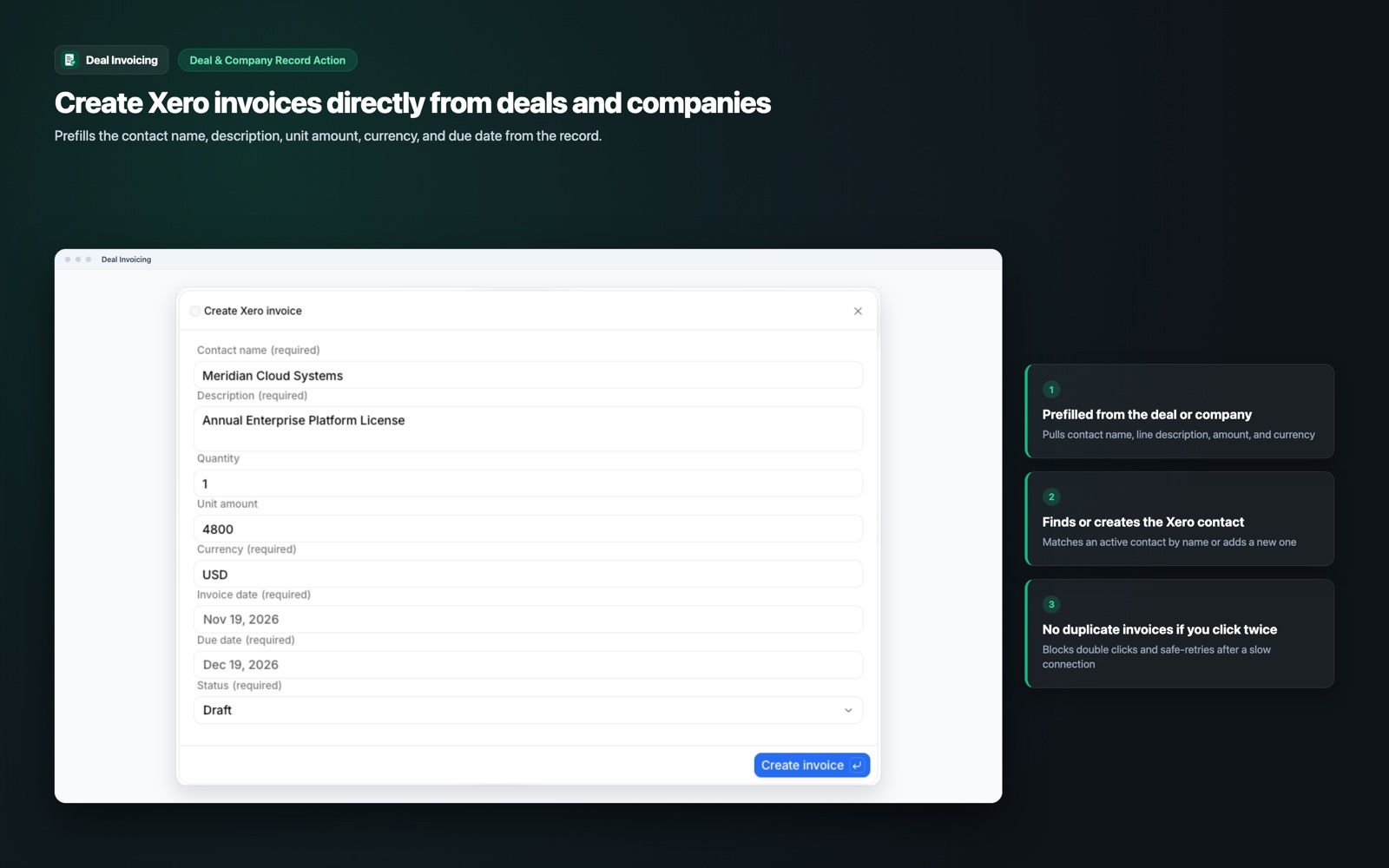
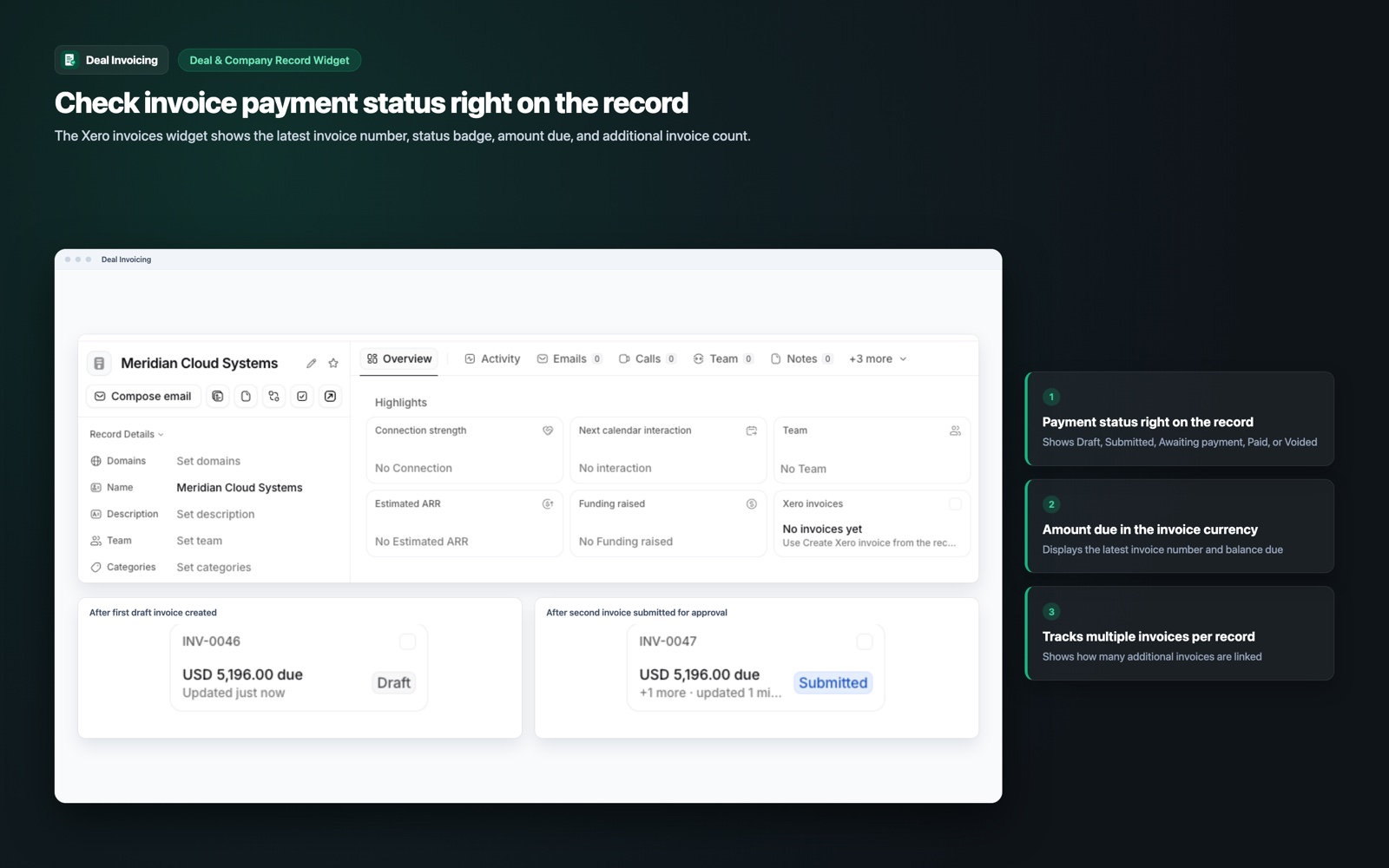
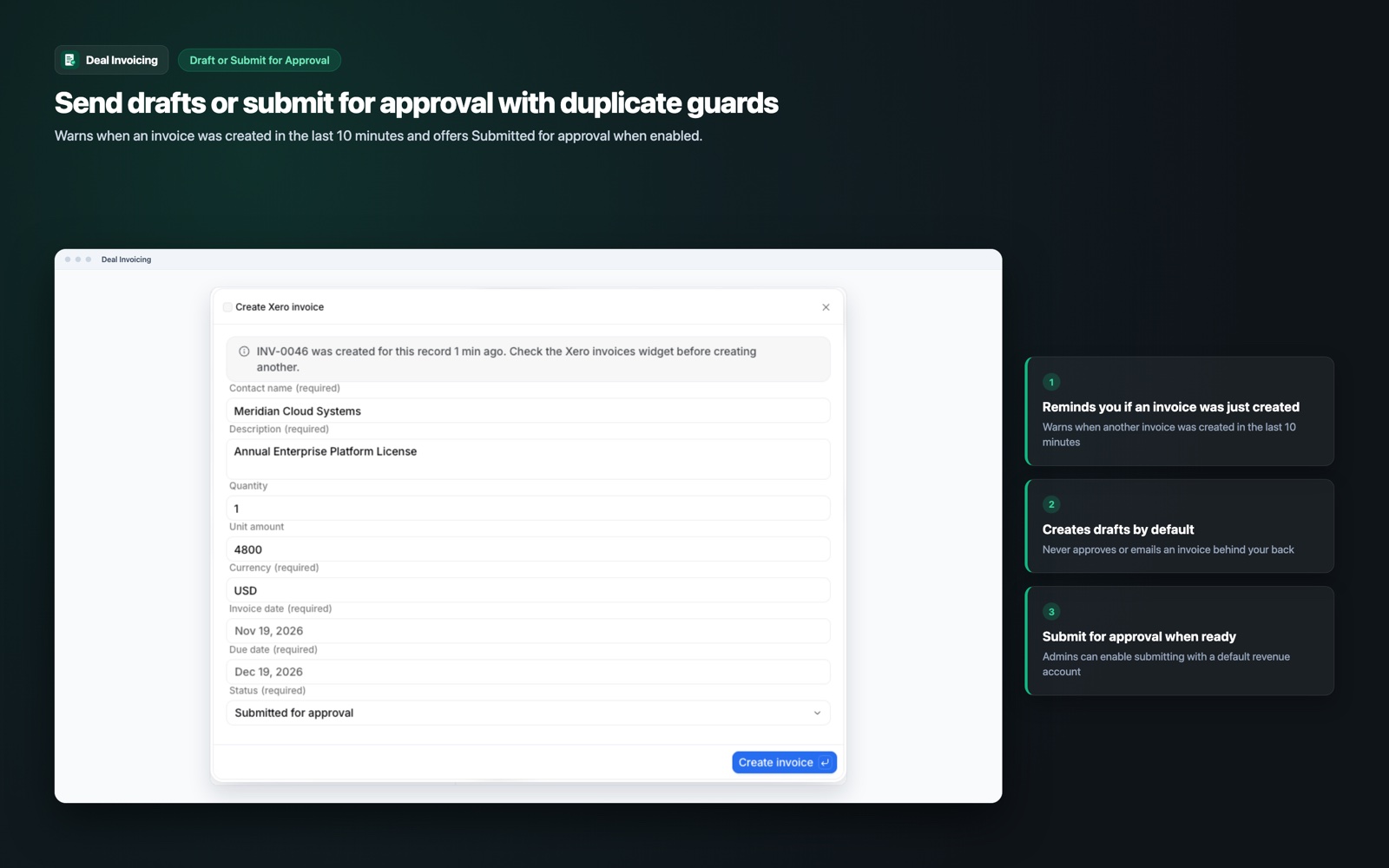
Deal Invoicing lets revenue and operations teams create sales invoices in Xero directly from deal and company records in Attio and check invoice payment status on the record without switching tabs. Each invoice is created as a draft, or as submitted for approval when a workspace admin allows it. The app never approves or emails invoices in Xero.
What the app does
Everything runs inside Attio on deal and company records, with no external servers or background jobs.
What this version does not do
It does not run automatic background sync, does not sync payments or write attributes back to Attio records, and never approves or emails invoices in Xero. The action and the widget appear only on deals and companies.
Finds the right Xero contact
When you submit, the app searches Xero contacts by name. One active match is used. With no match, it creates a contact with the name only, no email or street address. When several contacts share the name, you pick one by its contact number.
No duplicate invoices on retry
Repeating an unchanged submission after a network timeout replays the same request key within Xero's 6-minute window, so a retry cannot create a duplicate invoice.
Status read on demand
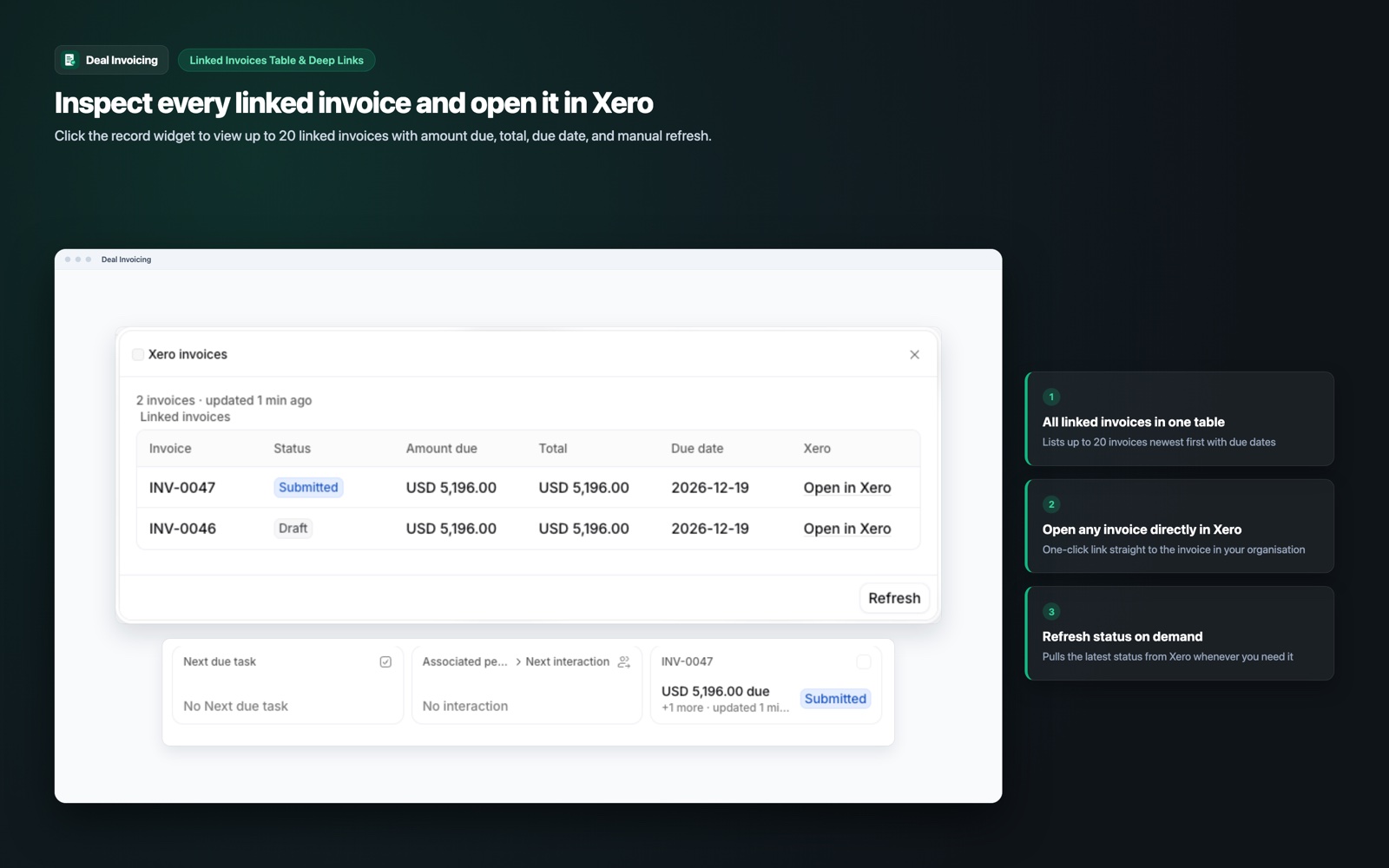
The app reads status from Xero when someone views the widget or opens the dialog, cached for 5 minutes, with a manual Refresh once every 30 seconds per record. If Xero is unavailable, you see the last snapshot with its timestamp.
Plans
Plans differ in the number of invoices created per month. Paid plans are billed through Stripe.
Free
- Up to 3 invoices created per calendar month
- Status readback and Open in Xero links, unlimited within Xero API rate limits
Pro
- Unlimited invoices
- Status readback and Open in Xero links, unlimited within Xero API rate limits
- Upgrade to Pro opens Stripe checkout; Manage subscription opens the Stripe customer portal
Prices in US dollars; where the law requires tax, it is added at checkout. The 14-day Pro trial starts automatically when an admin first clicks Allow sending to Xero. It needs no card and is never charged: when it ends, the workspace moves to the Free plan unless it has subscribed. Invoices created during the trial count toward that calendar month's Free allowance, so a trial that ends mid-month can leave no free invoices for the rest of that month. You can cancel at any time in the Stripe customer portal; a cancellation takes effect at the end of the paid period.
See it in action
About a minute from connecting Xero to the first invoice on a deal. The setup guide has every step.
Frequently Asked Questions
What is sent to Xero, what the app changes, plans and your data.
Does the app approve or email invoices?
No. It creates draft invoices, or invoices submitted for approval when an admin allows it. It never approves or emails an invoice and never writes to your Attio records. You check the invoices in Xero before you approve or send them.
What does the app send to Xero?
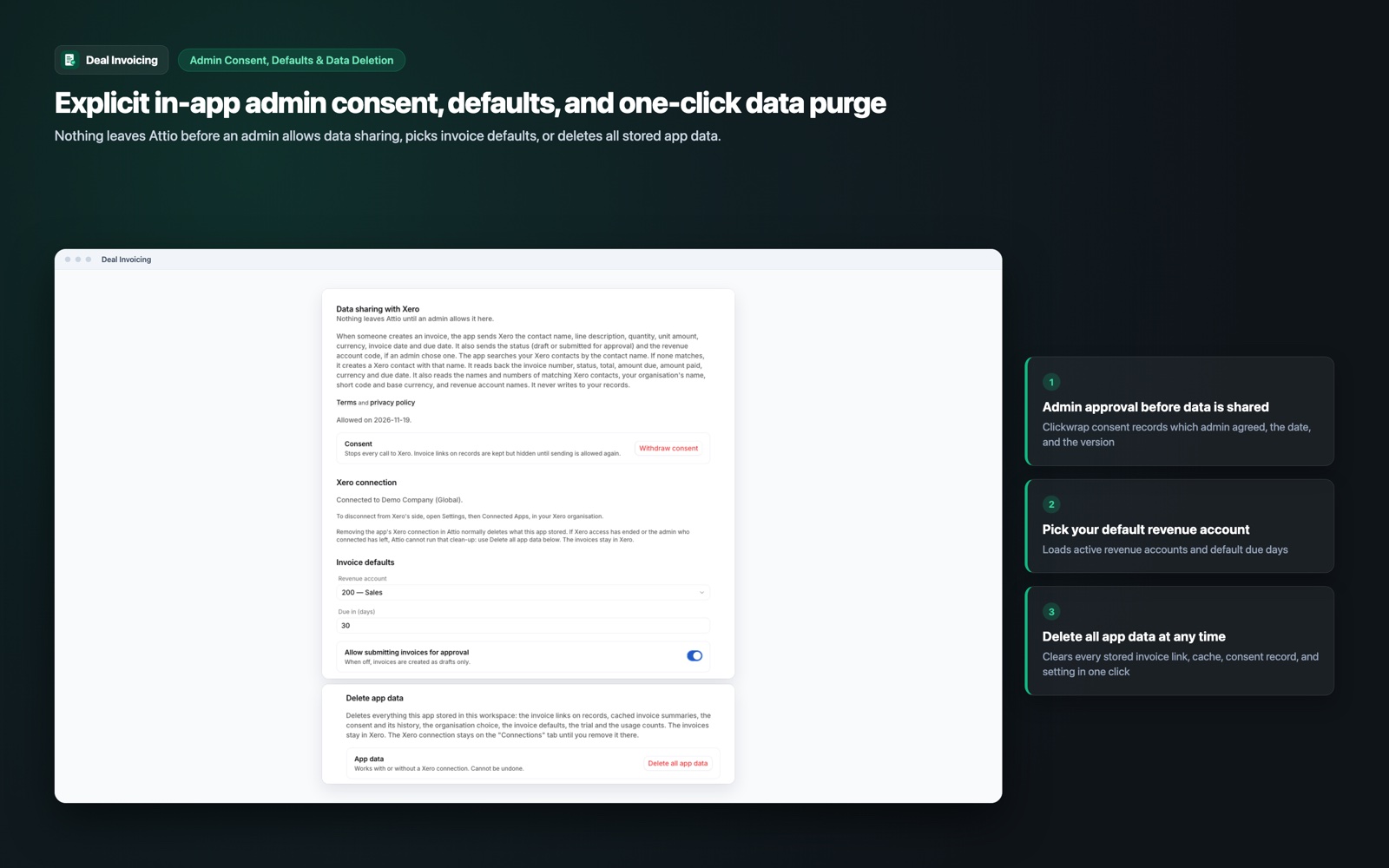
Nothing until a workspace admin clicks Allow sending to Xero. Then, when a member creates an invoice: the contact name, line description, quantity, unit amount, currency, invoice date, due date, the status and, if an admin set one, the revenue account code. No email addresses or street addresses are sent.
Where does the app appear?
Only on deals and companies. The Create Xero invoice action and the Xero invoices widget intentionally render nothing on people and every other object. The widget appears once you add it to the record layout.
How current is the invoice status?
The app reads status from Xero when someone views the widget or opens the dialog, and caches it for 5 minutes. Refresh in the dialog fetches live status at once, allowed once every 30 seconds per record. There is no automatic background sync.
What happens when the trial ends?
The workspace moves to the Free plan unless it has subscribed, and nothing is charged. Invoices created during the trial count toward that calendar month's Free allowance of 3 invoices.
Can I get a refund?
If you cancel a paid plan within 30 days of your initial purchase, you receive a full refund upon request to [email protected]. You can cancel at any time with Manage subscription in the app settings.
Where is my data kept?
Inside Attio. The app runs entirely inside Attio and keeps no database, server or backups of its own. Data received from Xero is used only to show your invoices and their status and to fill the invoice dialog; it is never used to train AI models, never sold and not passed to any third party.
How do I delete the app's data?
Removing the Xero connection on the Connections tab deletes everything the app stored in Attio; uninstalling does the same and also removes the widget from record layouts. An admin can also click Delete all app data at the bottom of the Settings tab at any time. Your invoices stay in Xero.
Deal Invoicing is provided by Orestis Zambounis, sole proprietor, Av. Eugène-Rambert 30, 1005 Lausanne, Switzerland, doing business as Zambounis Technology (OZET). Support: [email protected]; we send a first response within 2 business days (Swiss working days). We contact workspace admins only for service, security and billing notices; no marketing without opt-in. Read the Terms of Service and the Privacy Policy section for this app.
Deal Invoicing is an independent app built by Orestis Zambounis, sole proprietor, doing business as Zambounis Technology (OZET), and is not affiliated with, endorsed by, or sponsored by Attio Ltd. Xero is a trademark of Xero Limited. Deal Invoicing is not affiliated with, endorsed by, or certified by Xero Limited.