
Qura: Swiss QR-Bill & Invoices
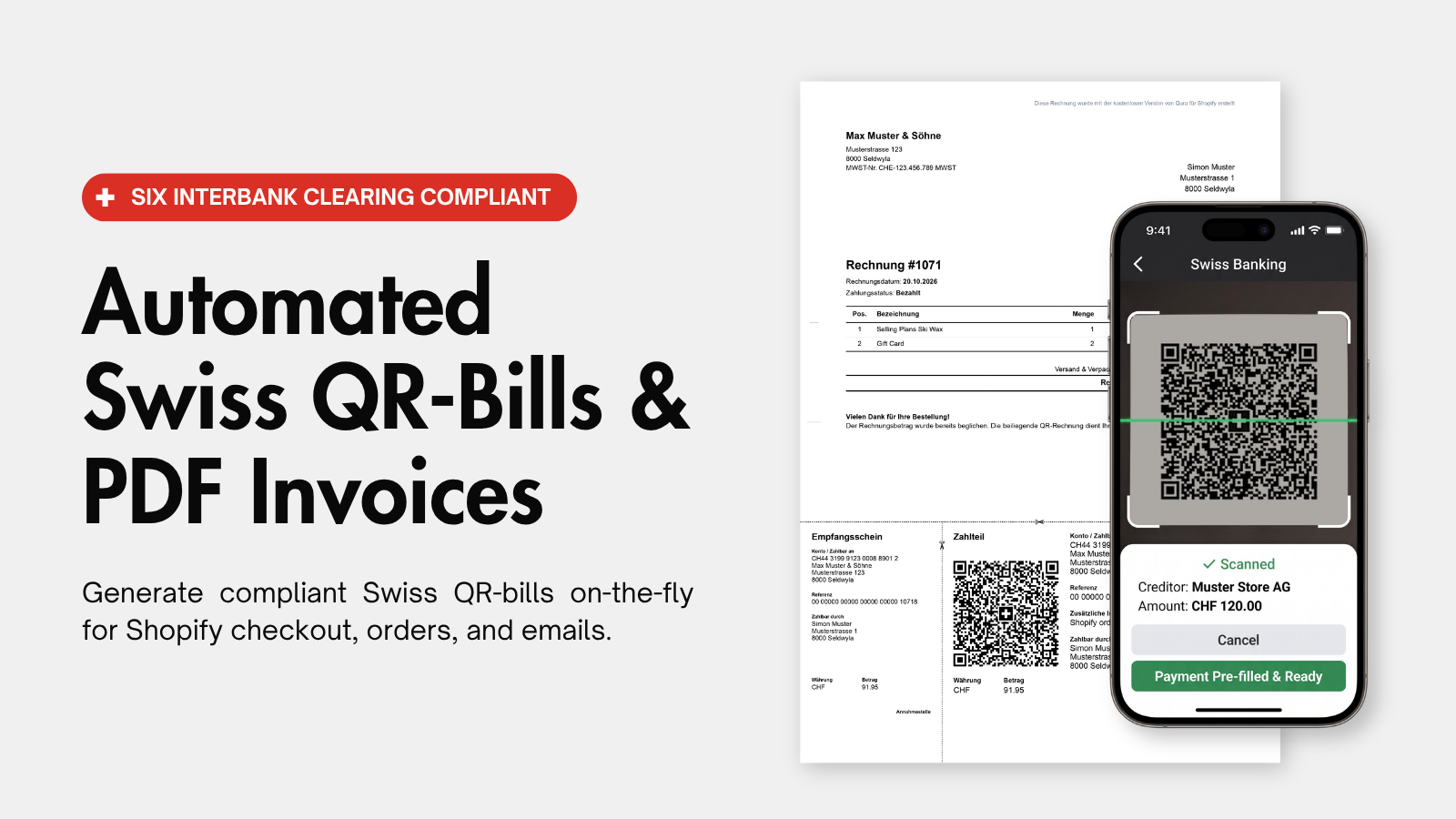
Generate official Swiss QR-Bills (QR-Rechnung), branded A4 PDF invoices, post-purchase checkout QR blocks, and 1-click camt.054 bank reconciliation for Swiss and Liechtenstein stores. Flat monthly pricing with 0% commission.
How It Works in Your Store
Compatible with all Swiss and Liechtenstein banks that support Swiss QR-Bills.
QR-IBAN & Standard IBAN
Supports both QR-IBAN accounts with 27-digit structured references (Modulo 10 recursive check digit) and standard Swiss or Liechtenstein IBAN accounts with ISO 11649 Creditor References (SCOR).
A4 PDF Invoices & Swiss VAT
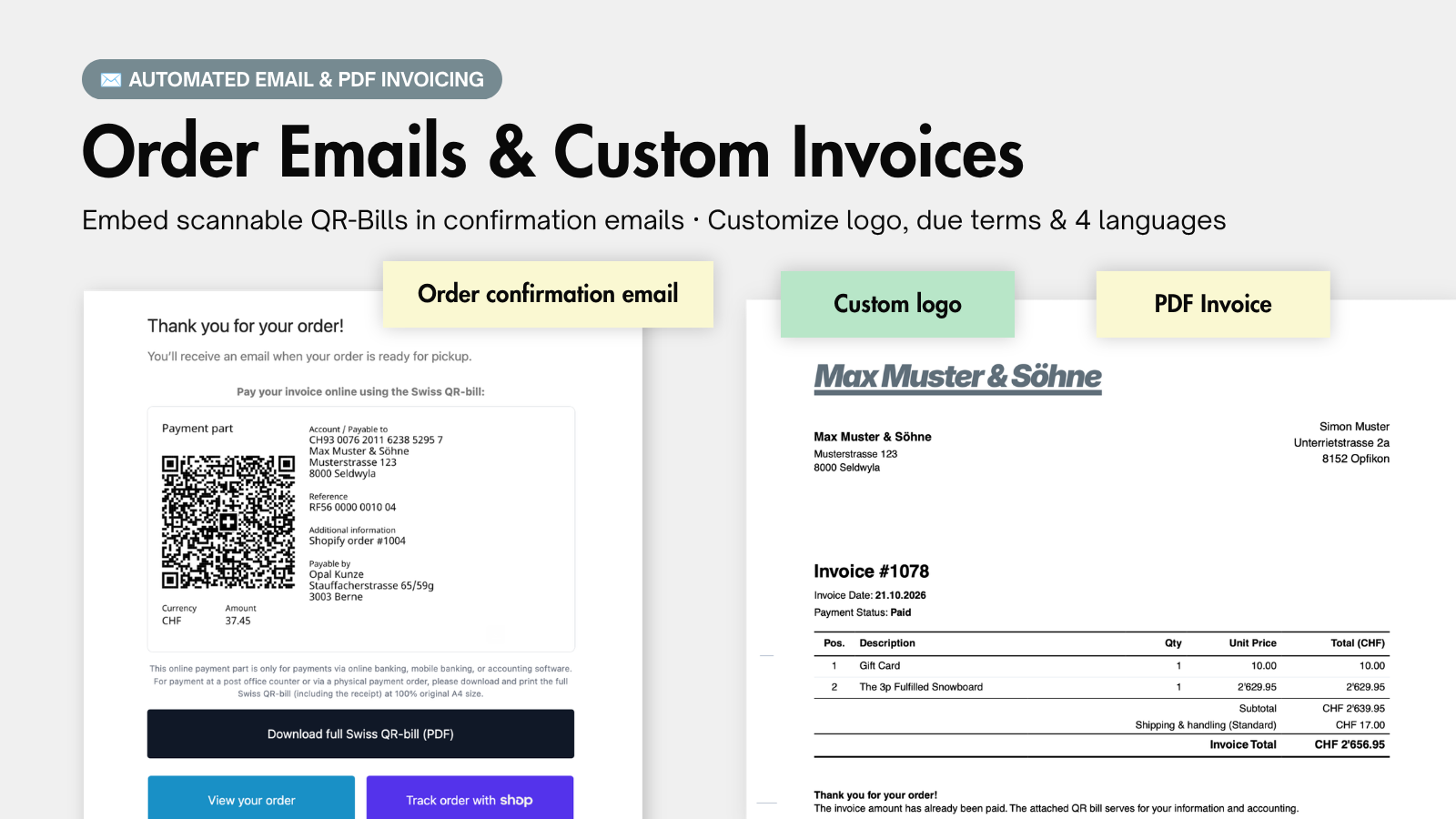
Generate full A4 PDF invoices with your company logo, UID/MWST number, itemized products, Swiss VAT breakdown (8.1% and 2.6%), configurable payment due days, and multi-page pagination.
Smart Checkout Restriction
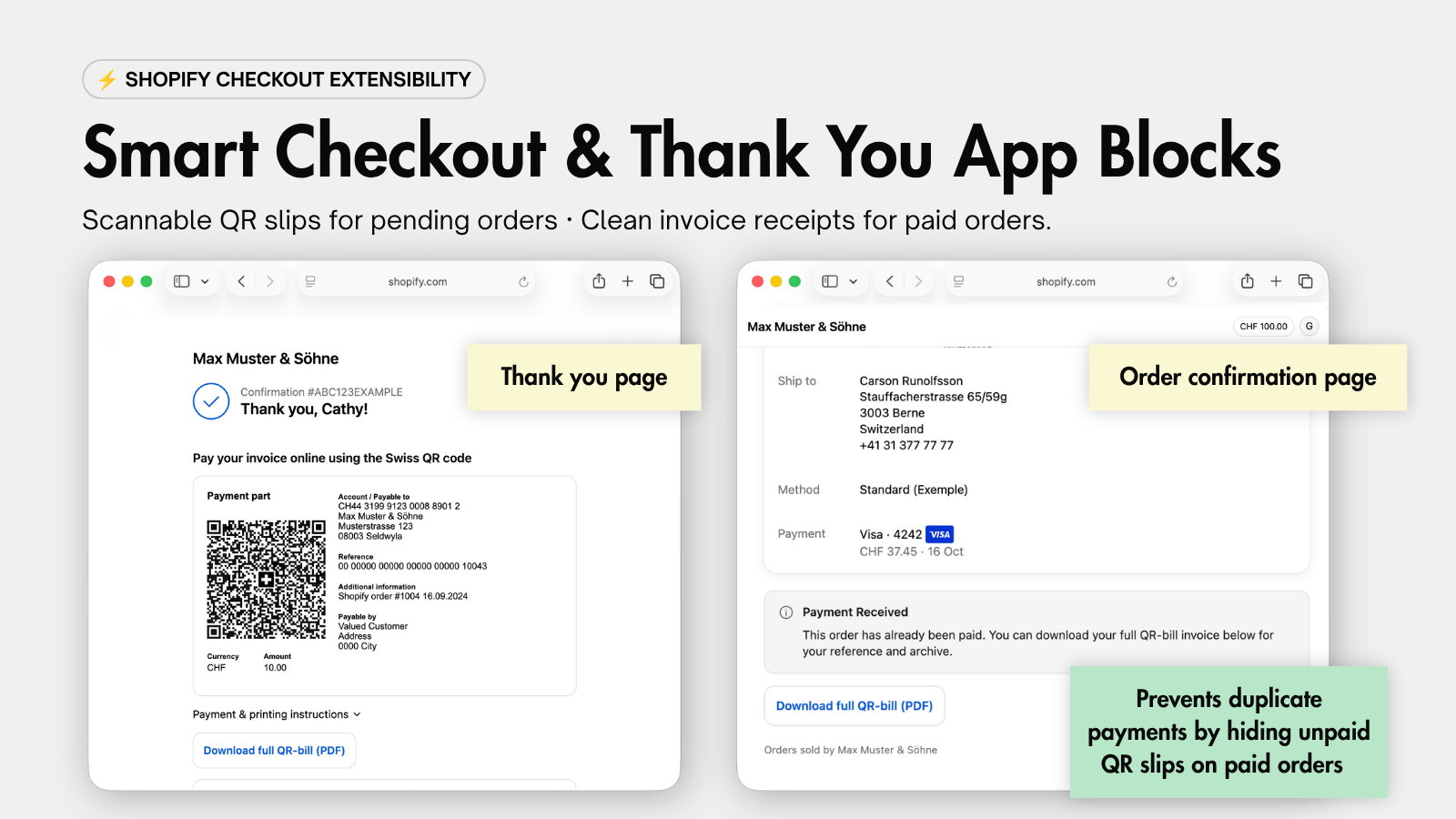
Includes a native Shopify Payment Customization Function that automatically hides the manual QR-Bill payment method when the buyer’s currency is outside CHF/EUR or shipping outside CH/LI.
Pricing Plans
Start free forever up to 10 bills/month. Paid plans include 20% off with annual billing and 0% commission on every tier, plus a 14-day free trial on Pro.
Free
Free forever- Up to 10 Swiss QR bills per month
- QR-IBAN (27-digit QRR) & Standard IBAN (SCOR)
- A4 PDF invoices (with subtle Qura header attribution) & clean QR slips
- Custom logo, payment terms (10–60 days) & 4 languages (DE, FR, IT, EN)
- Thank You & Order Status blocks, Email snippets & Admin Order Print Action
- 0% commission
Starter
Unlimited white-label invoicing- Everything in Free, plus:
- Unlimited Swiss QR bills & A4 PDF invoices
- 100% White-label PDFs (no Qura header attribution)
- Single & bulk A4 PDF invoice downloads
- Reconciliation Hub with 1-click & bulk Mark as Paid
- 0% commission
Pro
Recommended · 14-day free trial- Everything in Starter, plus:
- Automated ISO 20022 (
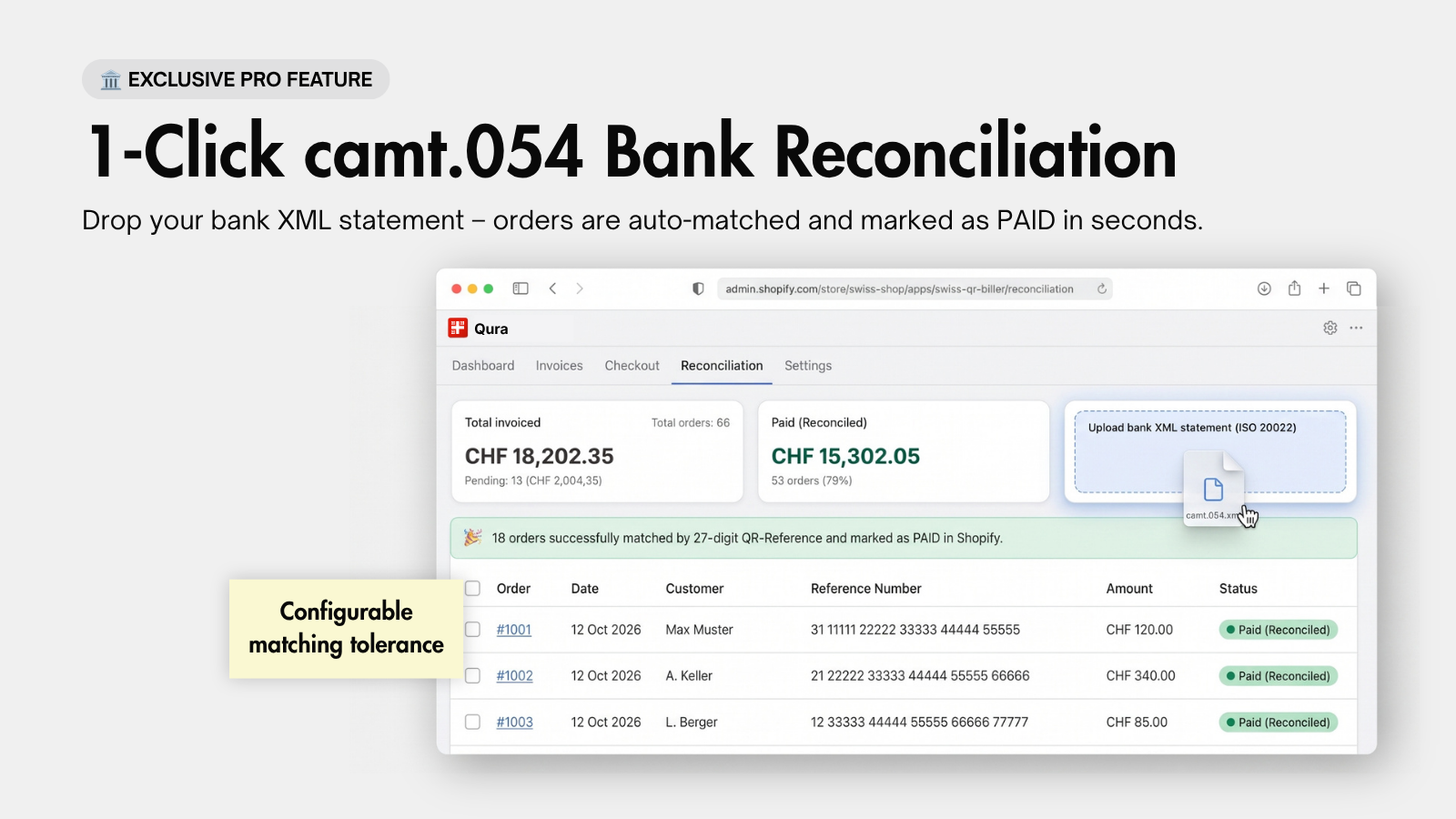
camt.054) bank XML reconciliation - Auto-match 27-digit QRR & SCOR references to mark orders as PAID
- Automatic partial payment & amount mismatch detection
- Configurable CHF payment matching tolerance
- Priority Swiss merchant support
Frequently Asked Questions
Everything you need to know about Swiss QR-Bills, bank account compatibility, and Shopify reconciliation.
Do I need a special Swiss bank account to use Qura?
You can use any Swiss (CH) or Liechtenstein (LI) bank account. If your bank provides a QR-IBAN, Qura automatically generates QR-Bills with structured 27-digit references (QRR). If you use a regular IBAN, Qura automatically generates ISO 11649 Creditor References (SCOR).
How does automated bank reconciliation work?
In the Payment Reconciliation tab, you can mark orders as paid manually in one click (included in Starter), or upload your Swiss bank’s camt.053 / camt.054 XML statement (Pro) to automatically match payments by their 27-digit QRR or SCOR reference with a configurable CHF tolerance and mark matching Shopify orders as PAID.
How do I include the QR-Bill in Shopify confirmation emails?
In the Guide tab inside the app, we provide a ready-to-use Liquid snippet that you can paste into your Shopify Order Confirmation and Order Invoice email templates (Settings → Notifications). Unpaid orders display the scannable QR slip and a 1-click A4 PDF download button, localized in DE, FR, IT, or EN.
Does Qura take a percentage of my sales or add watermarks?
0% commission on every tier. Unlike competitors that charge up to 1.0% of gross order volume or $0.20 per invoice, Qura charges a predictable flat subscription. The Free plan includes a subtle header attribution note in the top margin of A4 PDFs (never on the 105 mm SIX QR payment part), while Starter and Pro provide 100% white-label PDFs with your custom logo.
Why does the QR-bill show on some orders but not on others?
Qura shows the QR-bill only on orders in CHF or EUR that the customer placed with your QR-bill payment method (the manual payment method you set up during onboarding, for example “Swiss QR Bill”). Orders paid by credit card, Shop Pay, PayPal, TWINT or any other method show nothing from Qura, so no customer is ever asked to pay twice. To test it, check out in CHF with the QR-bill method selected. Once a QR-bill order is paid, it shows a payment confirmation with the PDF invoice instead of the slip.
Will the QR code scan with all Swiss mobile banking apps?
Yes. All generated QR codes adhere strictly to SIX Swiss Payment Standards (SPS 2.3) with mandatory Type “S” structured addresses, making them compatible with all Swiss and Liechtenstein e-banking and mobile banking apps that support QR-Bills.