Invoice Late Fees
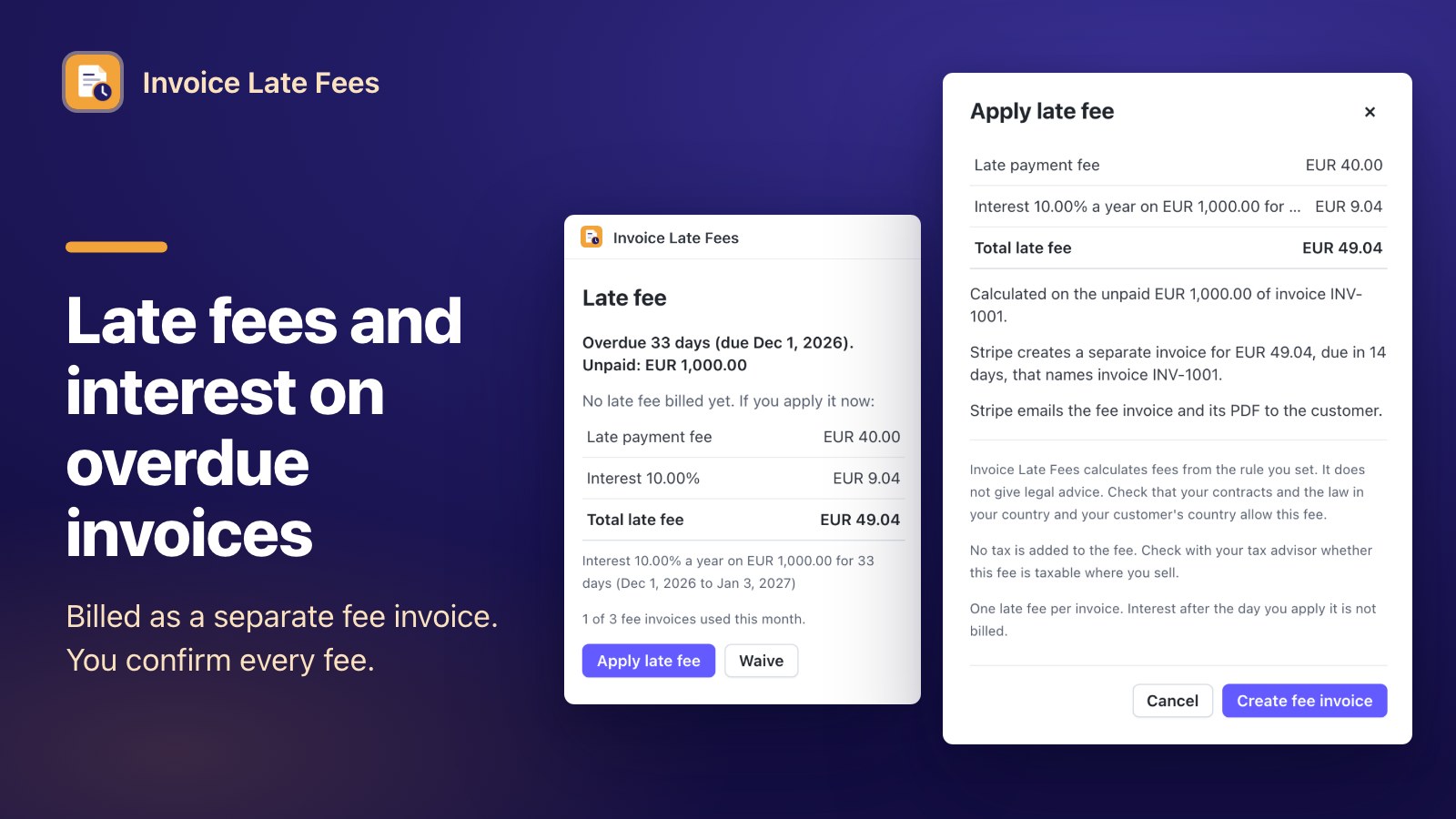
Invoice Late Fees calculates a late fee and simple interest on an overdue Stripe invoice from the rule you set, and bills it as a separate fee invoice to the same customer. The overdue invoice keeps its number, PDF and payment link. You see the fee on the invoice page and apply it with one confirmation.
What the app does
Everything runs inside your Stripe Dashboard: a drawer on the invoice page, a drawer on the customer page and the app settings.
Charge for late payment without touching the original invoice.
The fee and interest are calculated from your rule and billed as a separate invoice to the same customer, so the overdue invoice keeps its number, PDF and payment link.
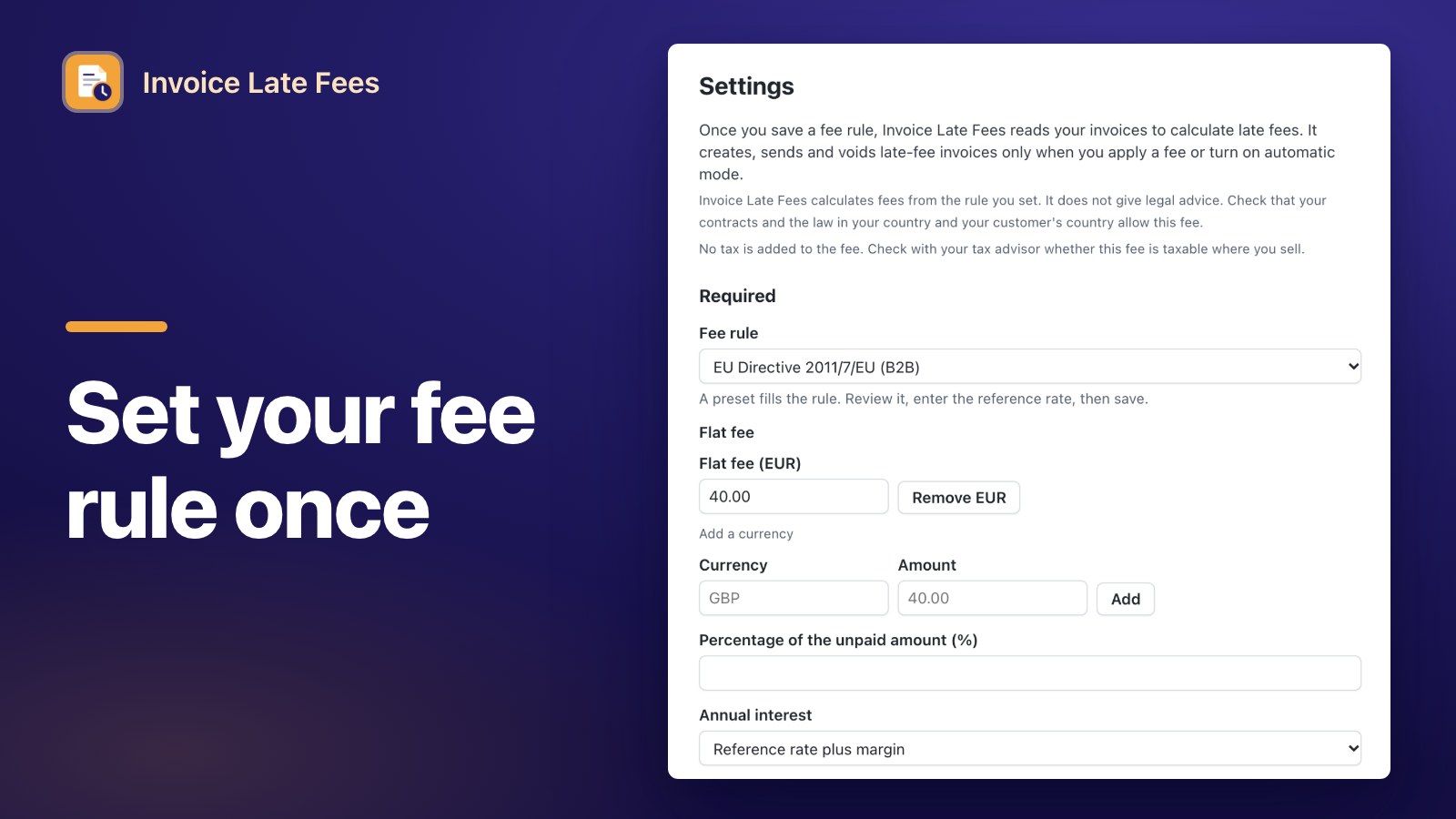
- Presets or your own terms: the B2B late-payment rules of the UK, the EU, Germany and France, or your own contract terms. You check the rule and enter the reference rate.
- Flat fee, percentage and simple interest: with a grace period, a minimum and a maximum.
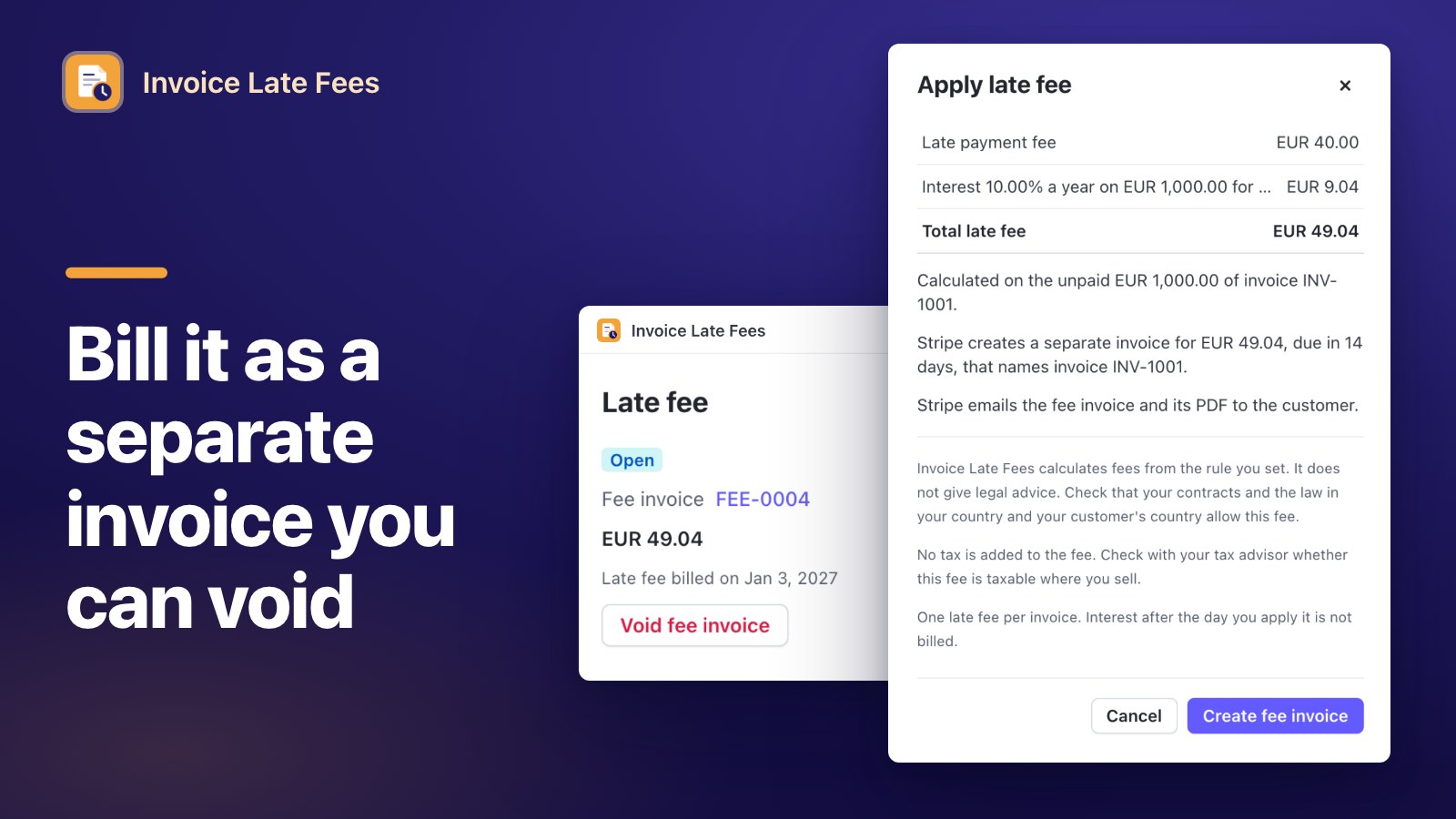
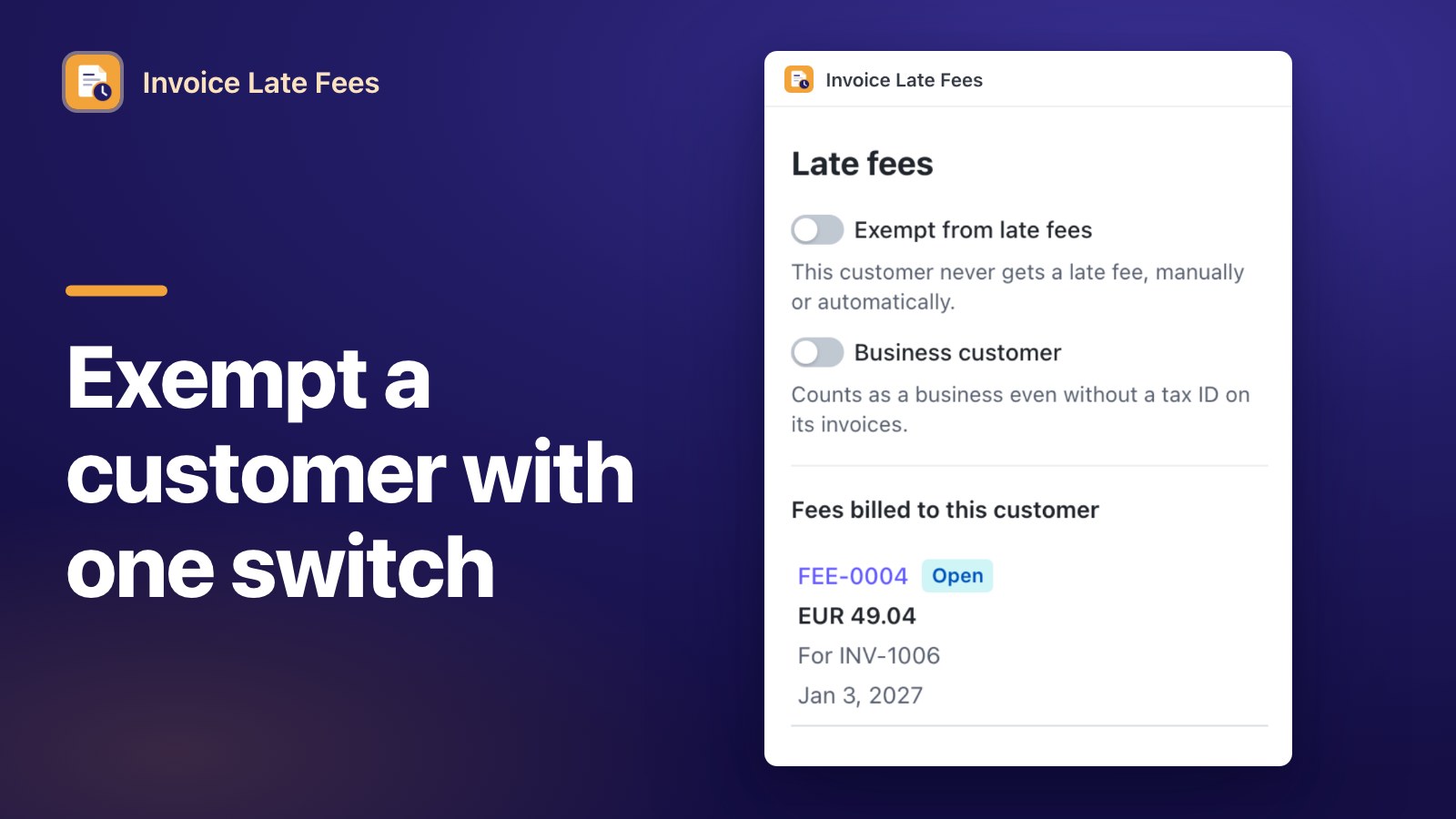
- Undo and exceptions: void an unpaid fee invoice, waive a fee, or exempt a customer.
How it works
Three steps from install to the first fee invoice. The setup guide has the details.
Set your fee rule once
In the app settings, start from a B2B preset (UK, EU, Germany or France) or your own terms: flat fee, percentage and simple interest. You enter the reference rate. Saving the rule is the only setup step.
Open an overdue invoice
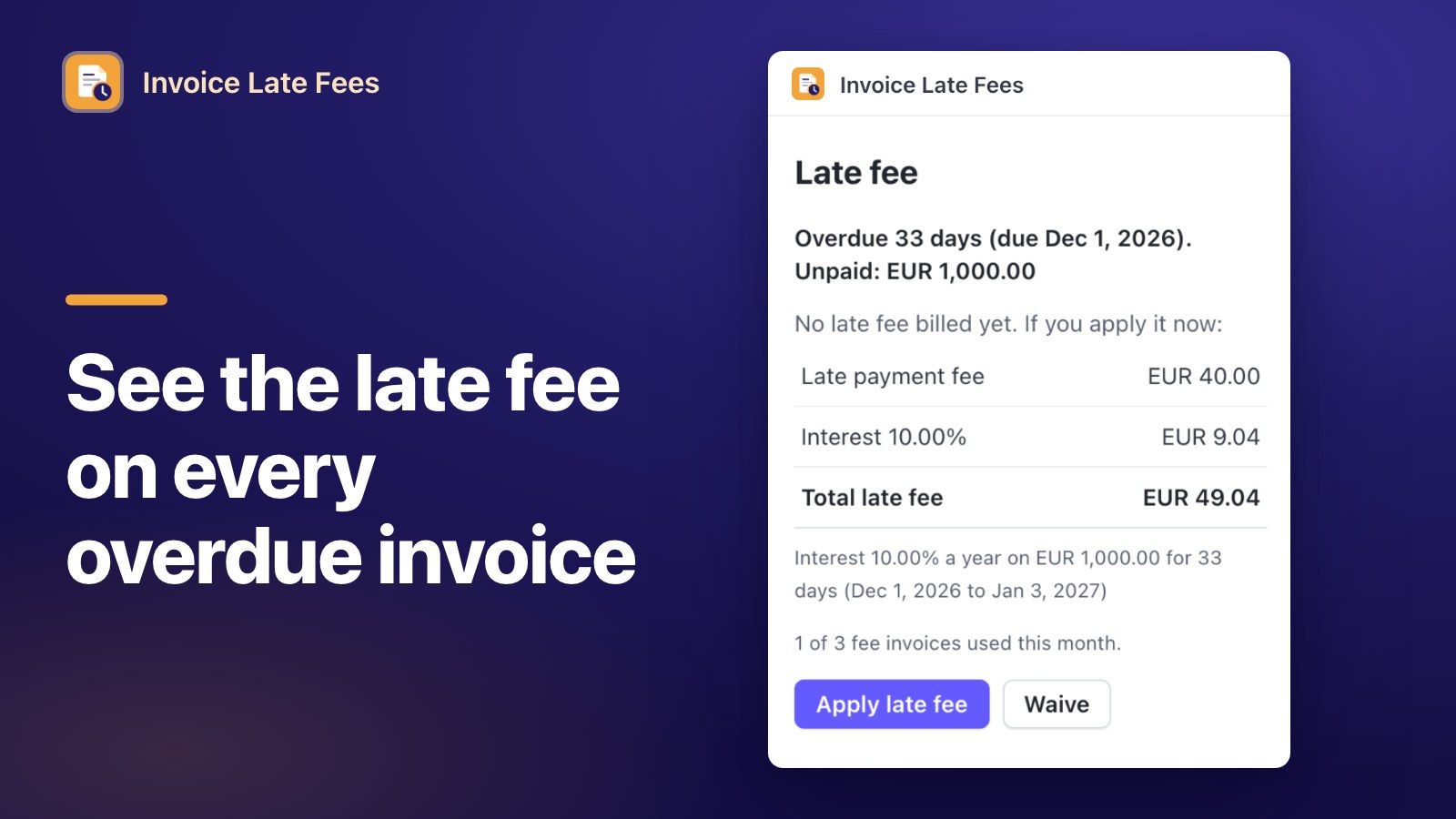
The app's drawer on the invoice page shows the days overdue, the unpaid amount the fee is calculated on, and the breakdown. Any other invoice shows one line saying why there is no fee.
Apply and confirm
Press "Apply late fee", read the confirmation and press "Create fee invoice". Stripe creates a separate invoice for the same customer that names the overdue invoice. You can void it while it is unpaid.
Fees go to business customers only by default; fees for all customers need a separate confirmation. No tax is added to the fee, and no fee is billed while a payment on the invoice is processing.
Plans
Fee calculation, every preset, exemptions and waivers are in both plans. Pro removes the monthly limit and adds automatic mode. Prices in US dollars.
Free
Manual mode- Up to 3 fee invoices per calendar month (UTC) in live mode
- Fee calculation on every overdue invoice
- All presets, exemptions and waivers
Pro
14-day free trial- Unlimited fee invoices
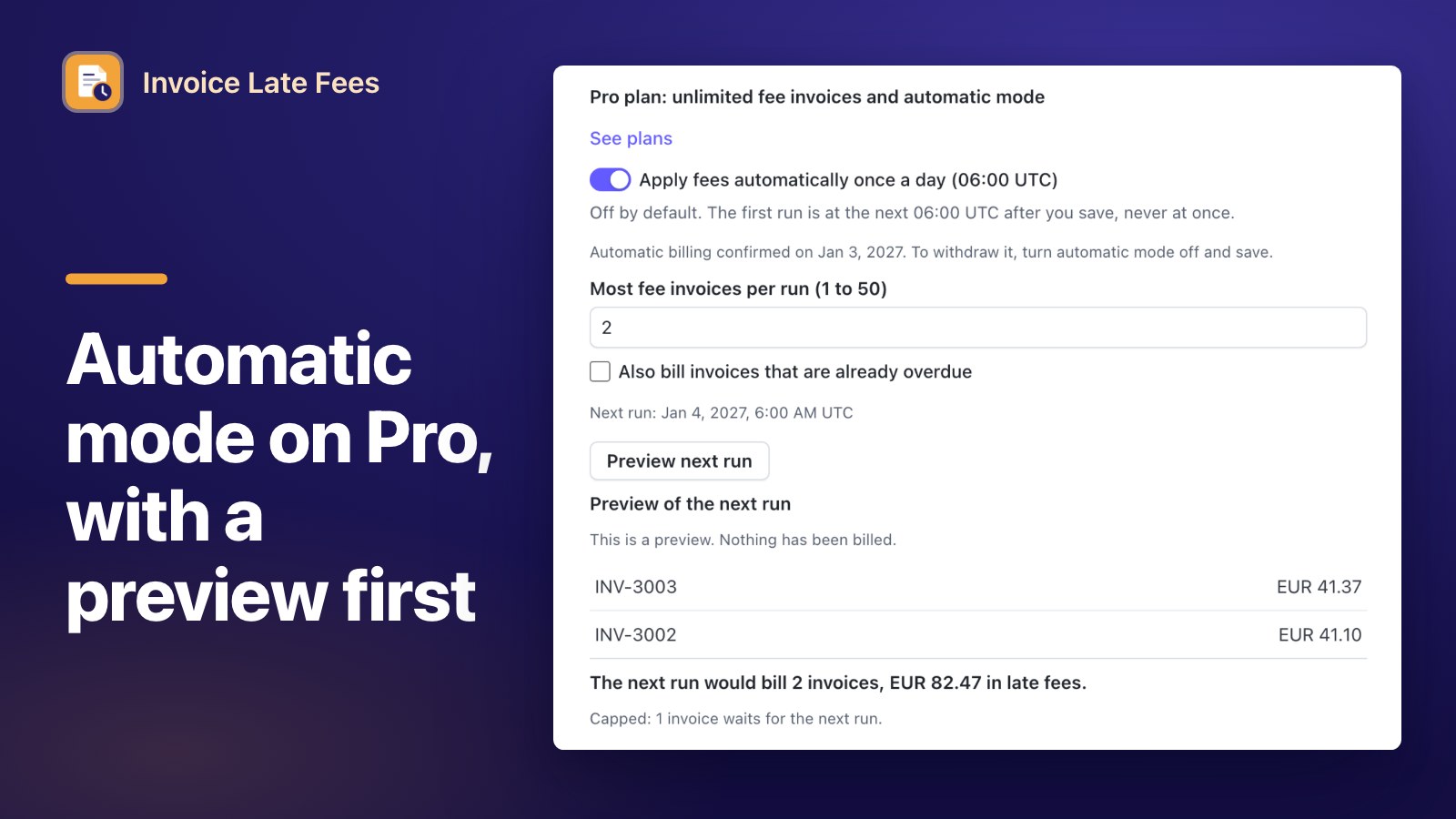
- Automatic mode once a day at 06:00 UTC, with a preview and a cap per run
- Everything in Free
A live fee invoice the app finalizes counts once toward the Free limit, in the month it is finalized; voiding it later does not return the count. Calculations, previews and waivers do not count. Sandbox and test mode installs get every Pro feature without limits and without payment. You start the trial or subscribe from the app's "See plans" link; the pricing page explains how buying works.
Frequently Asked Questions
What the app bills, what it changes and what it leaves to you.
Does the app tell me whether a late fee is allowed?
No. It calculates fees from the rule you set and gives no legal or tax advice. Presets that name a law only fill the rule. Check that your contracts and the law in your country and your customer's country allow the fee.
Does it change the overdue invoice?
The overdue invoice keeps its number, PDF and payment link. The fee is billed as a separate invoice to the same customer, and the app writes a link to that fee invoice into the overdue invoice's metadata.
Does the app email my customers?
The app writes and sends no email. If you choose "Stripe emails the fee invoice", Stripe sends its own invoice email. You can also choose to only finalize the fee invoice and send it yourself.
Which customers get a fee?
Business customers only by default: a customer counts as a business when its invoice carries a tax ID or when you mark it on the customer page. Fees for all customers need a separate confirmation. You can exempt any customer.
Is tax added to the fee?
No. The app adds no tax to the fee. Check with your tax advisor whether the fee is taxable where you sell.
When does automatic mode bill?
Only on Pro or during the trial, and only after you turn it on and confirm it. It runs once a day at 06:00 UTC, never at once, up to the number of fee invoices you set per run, and only for invoices that become overdue after you turn it on unless you opt in.
Can I try it without paying?
Yes. Sandbox and test mode installs get every Pro feature without limits and without payment. In live mode the Free plan bills up to 3 fee invoices per calendar month, and Pro has a 14-day free trial.
What happens when I uninstall?
Automation stops at once. The app's data for your account is deleted 72 hours after the uninstall (96 hours at the latest), and backups are gone within 9 days. Fee invoices already created stay in your Stripe account.
Invoice Late Fees is published by OZET, a trade name of Zambounis Technology, Lausanne, Switzerland. Stripe does not provide, warrant or support this app; support comes from us at [email protected]. Read the Terms of Service, the Privacy Policy for this app, the pricing page and the support page.