Rentlane: Product Rentals
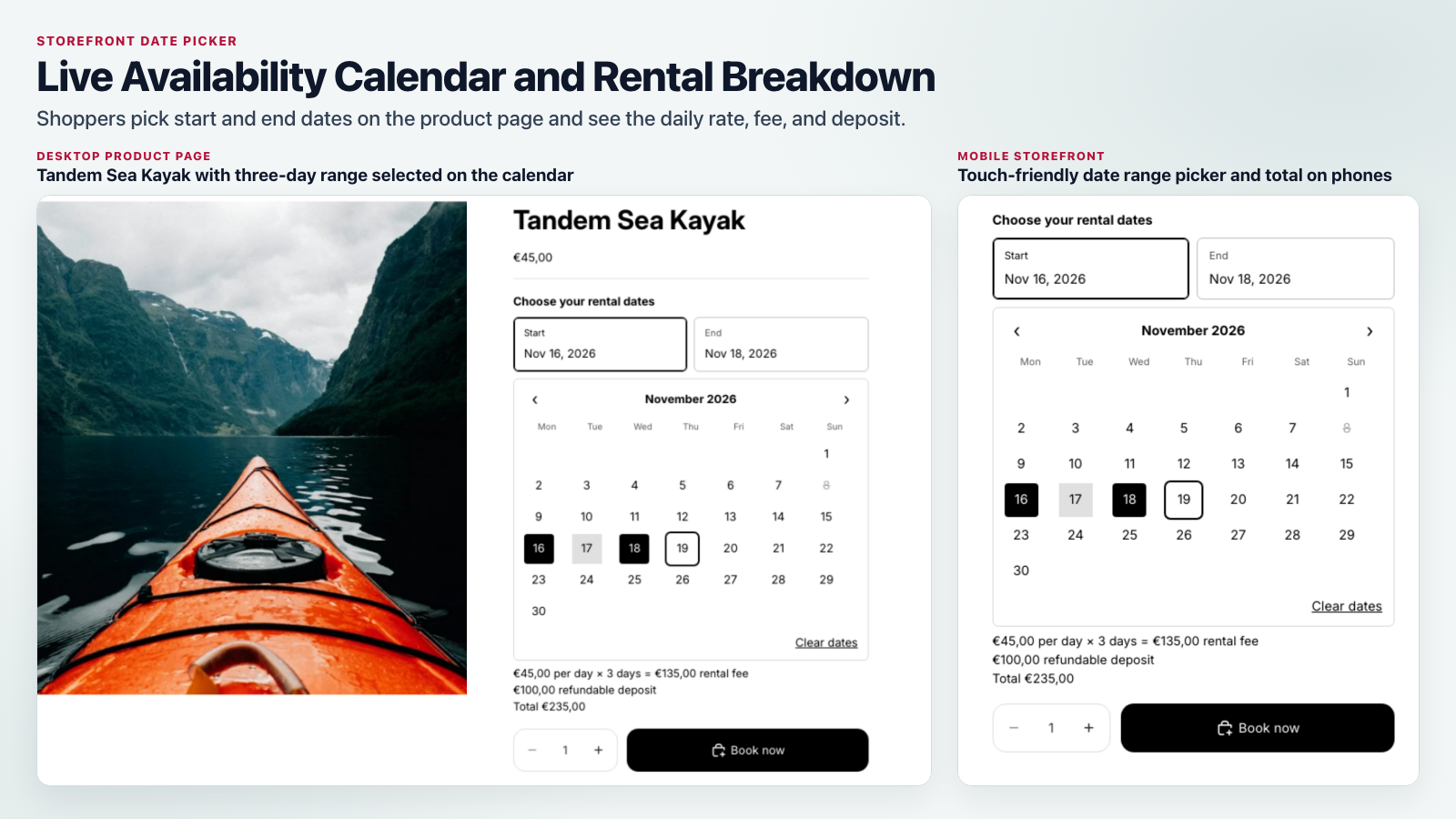
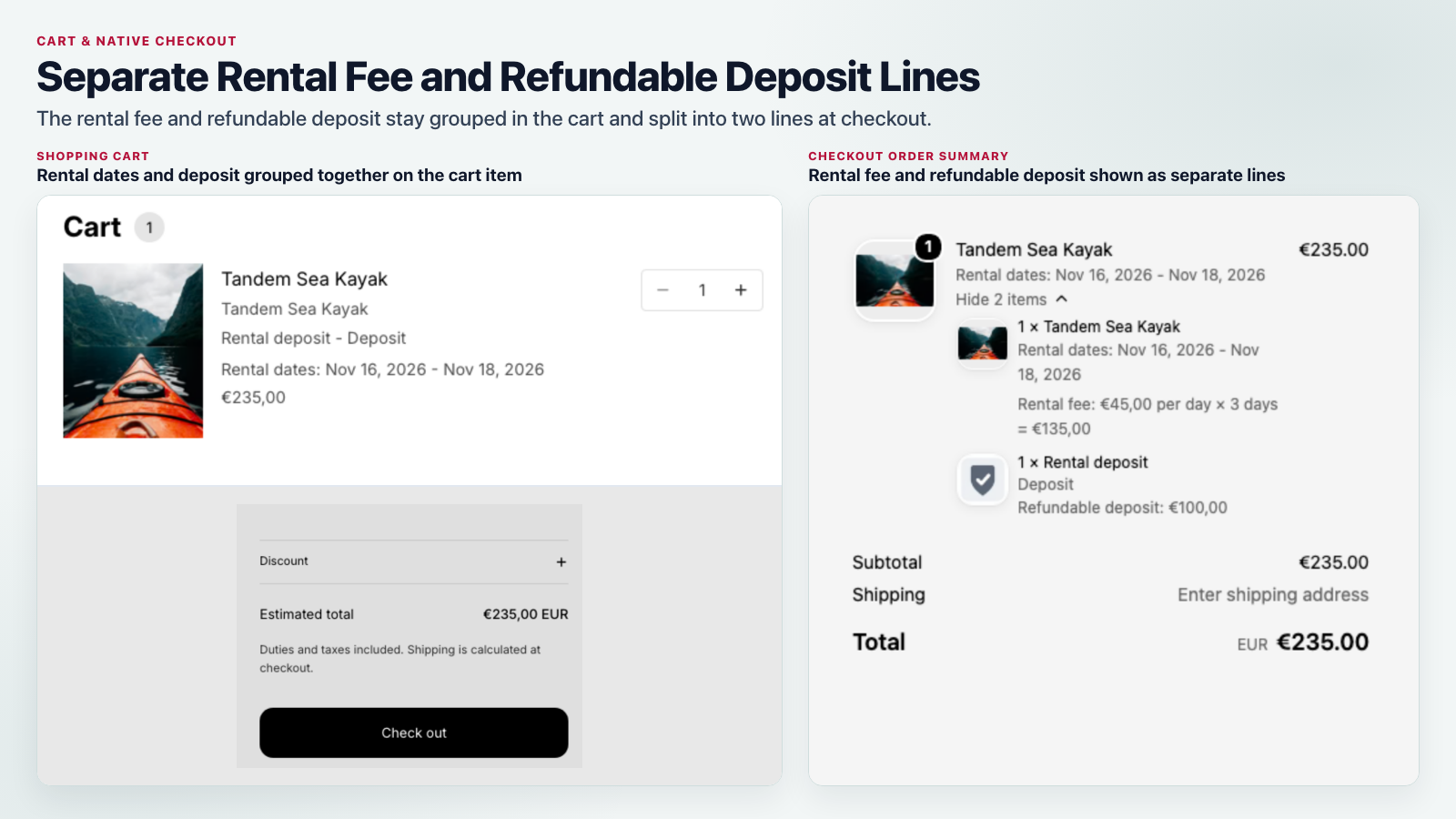
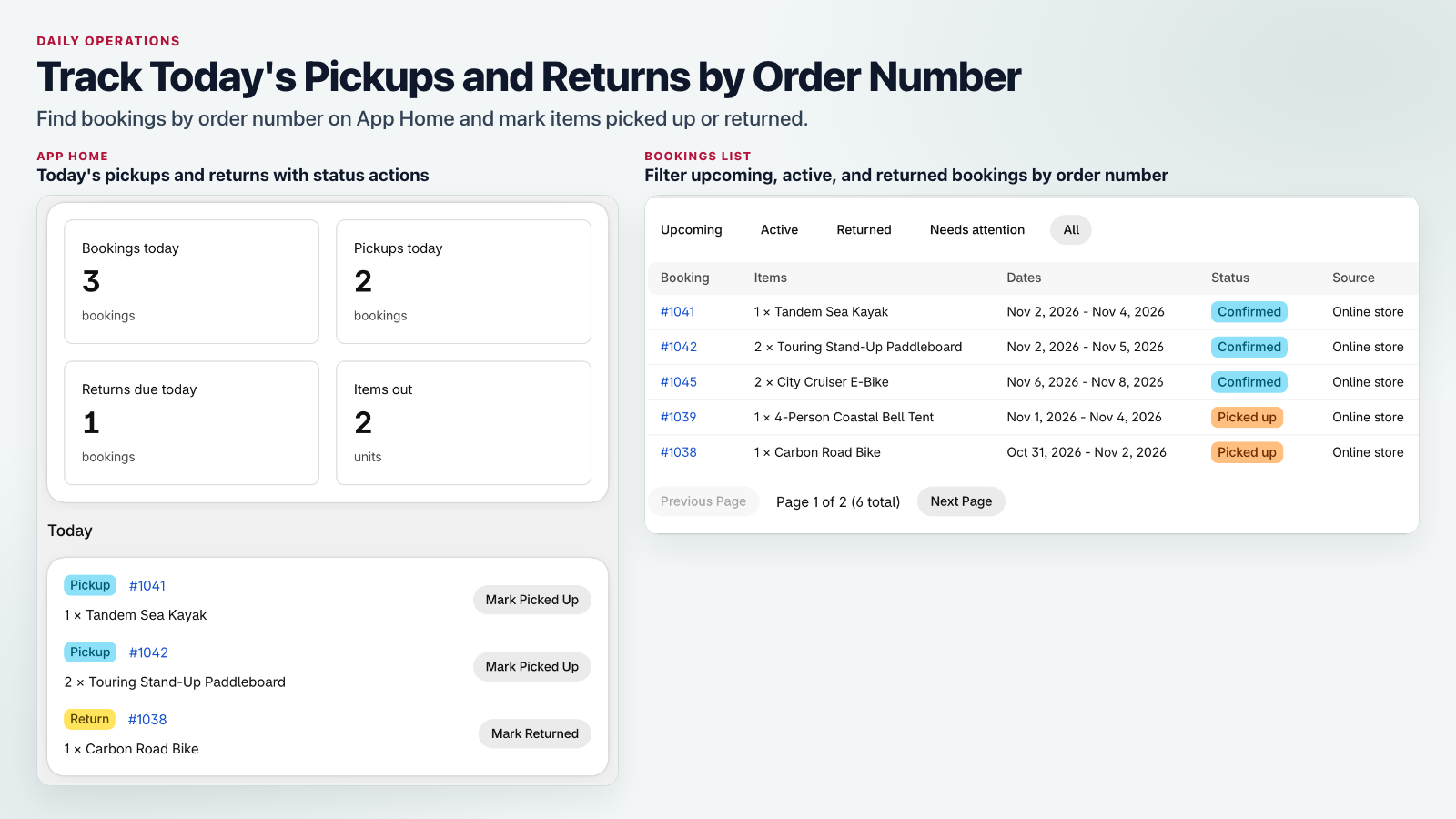
Rent out the products you already sell, by the day. Shoppers pick their start and end dates on the product page and see the daily rate, the rental fee and the refundable deposit before checkout. The fee and the deposit land as two lines in one Shopify order, and your Admin shows today's pickups and returns by order number.
How It Works in Your Store
Set a default deposit, pick your first rental product and turn on the date picker in the Theme editor. Three steps, no code.
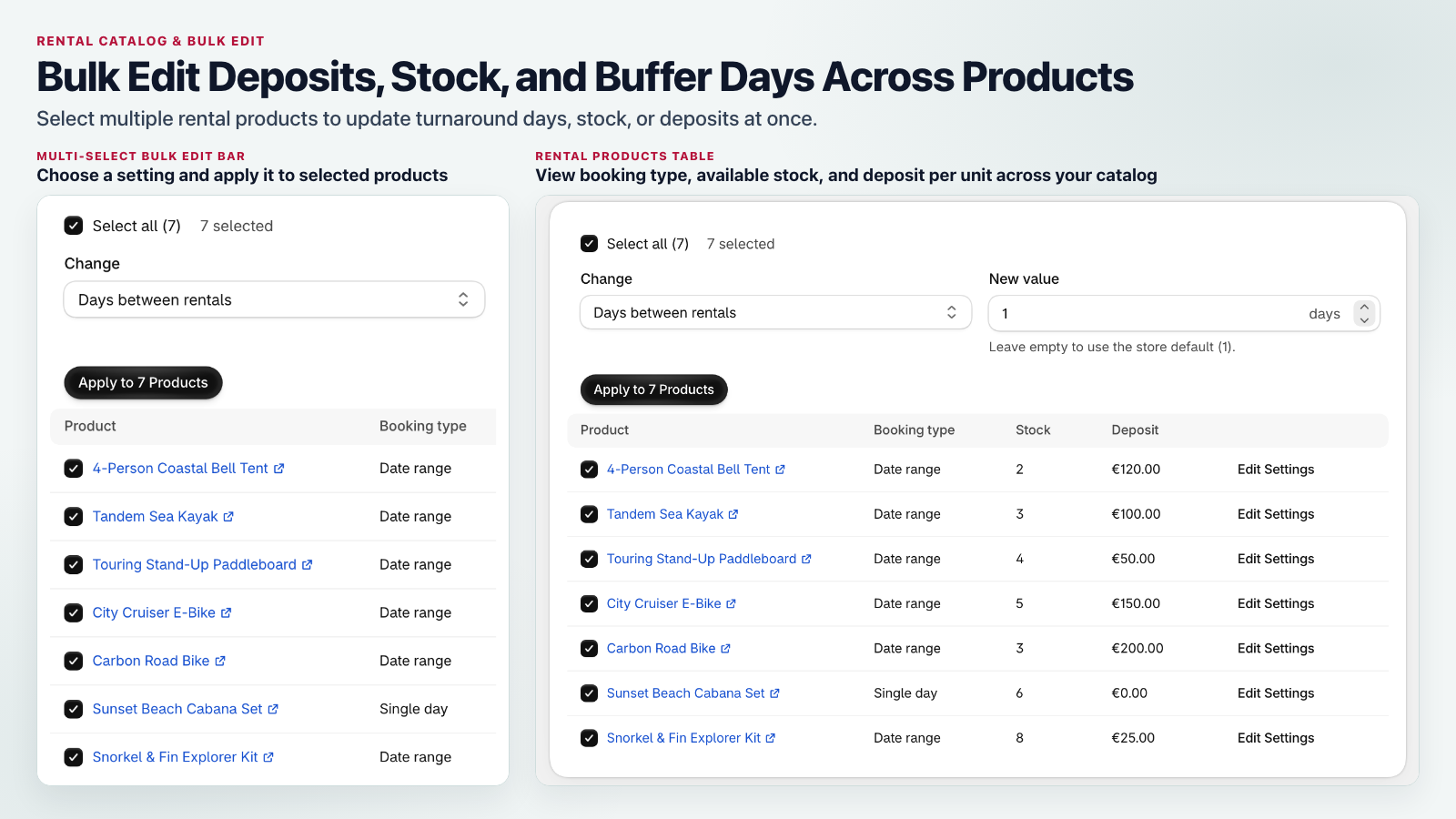
Your products, by the day
No separate rental catalogue. Mark a product as rentable, set its units and deposit, and its price becomes the daily rate. On the Pro plan, variants can carry their own stock and deposit.
Every unit booked once
Confirmed and picked-up bookings count against stock per day. A cancelled or refunded order releases its dates at once, and an order that exceeds stock is flagged for your attention instead of disappearing.
Your own kiosk or website
On the Enterprise plan, a kiosk, a booking site or your operations tool can read and write the same bookings through the Rentlane API, with signed notifications on every change and a Shopify order for every kiosk sale.
Pricing Plans
Start free with up to 3 rental products and unlimited bookings. No transaction fee on any plan, billed through Shopify.
Free
Free forever- Up to 3 active rental products
- Unlimited bookings
- Storefront rental date picker
- Refundable deposit at checkout
- Closed dates and turnaround days
Pro
Recommended- Everything in Free, plus:
- Unlimited rental products
- Stock and deposit per product or variant
- Calendar feed for Google, Apple and Outlook
- Priority merchant support
Enterprise
For kiosks and your own systems- Everything in Pro, plus:
- Bookings API for kiosks and websites
- Shopify orders for kiosk and API sales
- Signed booking event notifications
- Priority merchant support
Frequently Asked Questions
How Rentlane prices, books and tracks rentals, and what it stores.
Does the date picker work with my theme?
Yes, on every Online Store 2.0 theme, including Horizon and Dawn. You turn it on once under App embeds in the Theme editor, and it appears on every product you rent out. Products you do not rent out are untouched.
How is the deposit charged and refunded?
The deposit is a separate line in the same Shopify order, so the shopper pays fee and deposit together at checkout. When the item comes back, you refund the deposit line in Shopify as you would any line. Rentlane records the refund on the booking.
Can two shoppers book the same unit?
No. Each product has a number of units, and the picker greys out days where none is left, counting the turnaround days you set between rentals. Shoppers can only add as many units as are free for their dates. A cancelled or refunded order releases its dates at once.
What are turnaround days and closed dates?
Turnaround days are the days a unit stays unavailable after a return, for cleaning or checks, set per product or for all at once. Closed dates are days nobody can pick up or return, such as holidays. You can also set a minimum and a maximum rental duration.
Which Shopify plans does it work on?
All of them: Basic, Grow, Advanced and Plus. Rentlane uses the native Shopify checkout, so payment methods, taxes, discounts and your order history keep working as before. Rentlane charges no fee per booking.
What data does the app store?
For each rental order: the order number, the products, quantities, dates and amounts, and the booking status. Rentlane stores no customer names, email addresses, addresses or phone numbers; the order itself stays in Shopify. Details are in the privacy policy.