OZET
Overview Shop Automation IzyMaps IzyIcons Book Consultation →
Datebook Event Calendar for Confluence: App page · Help · Demo · Terms · Support · Data Processing Addendum · Third-party notices

Demo walkthrough

Datebook Event Calendar for Confluence on a Confluence Cloud test site. Back to the app page.

What it shows, in order: a time range picked in Week view that opens Add event, three calendars together in Month view, a monthly repeating event with Going, Maybe and Declined, and the starter templates.

A short guided tour

To start, edit a Confluence page, type /Datebook, insert Datebook Calendar and publish the page. The help guide has every step.

1. Add Events Right on the Published Page

Click a day in Month view, or a start and an end time in Week or Day view, and the event is on the page without editing it. Switch between Month, Week, Day, Agenda and Quarter at any time.
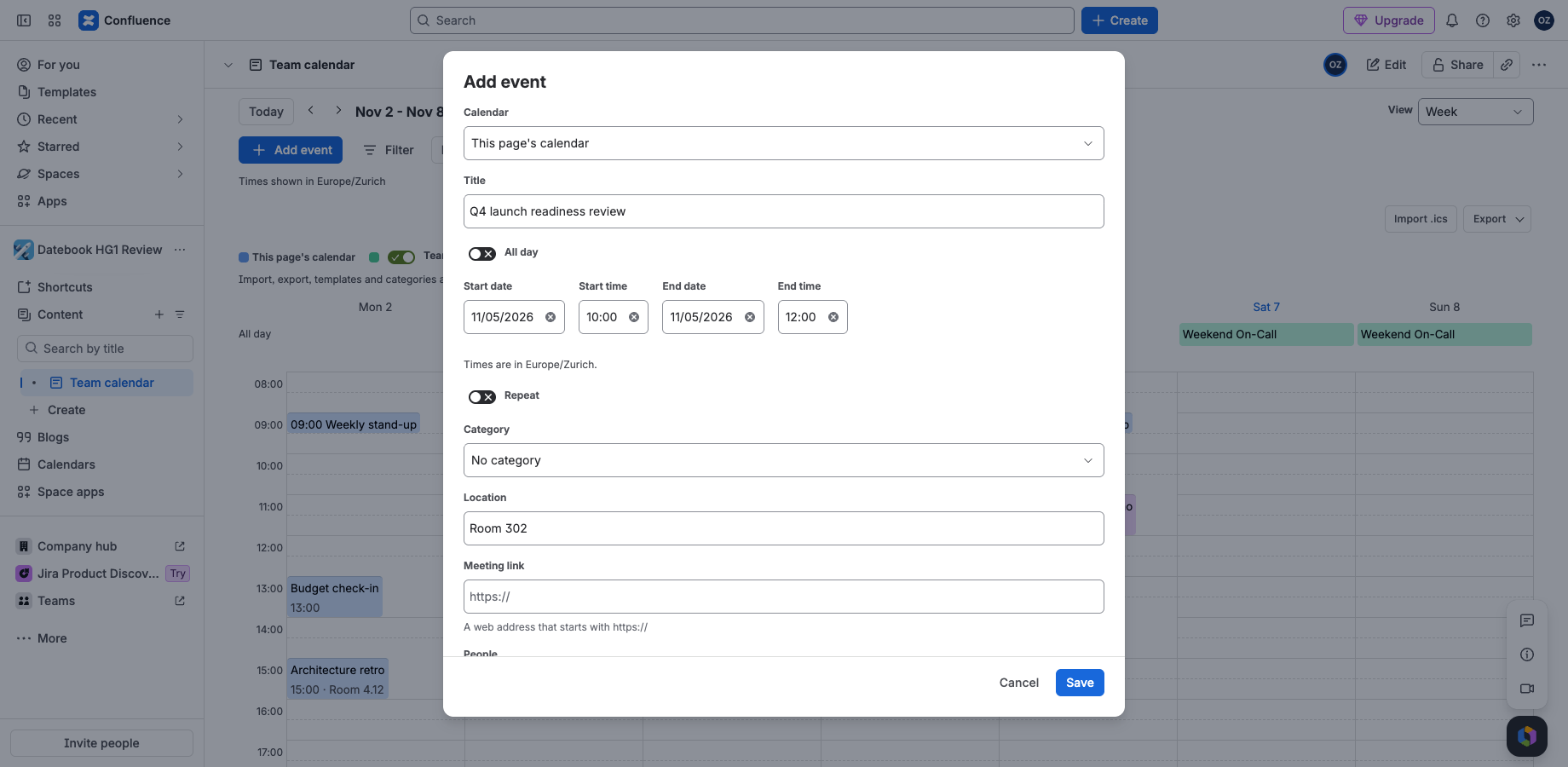
Confluence page showing the Datebook calendar in Week view with hour rows, an All day lane, colour-coded events and the Add event dialog.
A Datebook calendar on a published Confluence page in Week view, with the Add event dialog open for a time range picked in the grid.

2. See Up to 3 Calendars Together

Show a page calendar with up to 2 shared space calendars, each in its own colour. Every viewer turns calendars on or off for themselves, and calendars they cannot open are never shown.
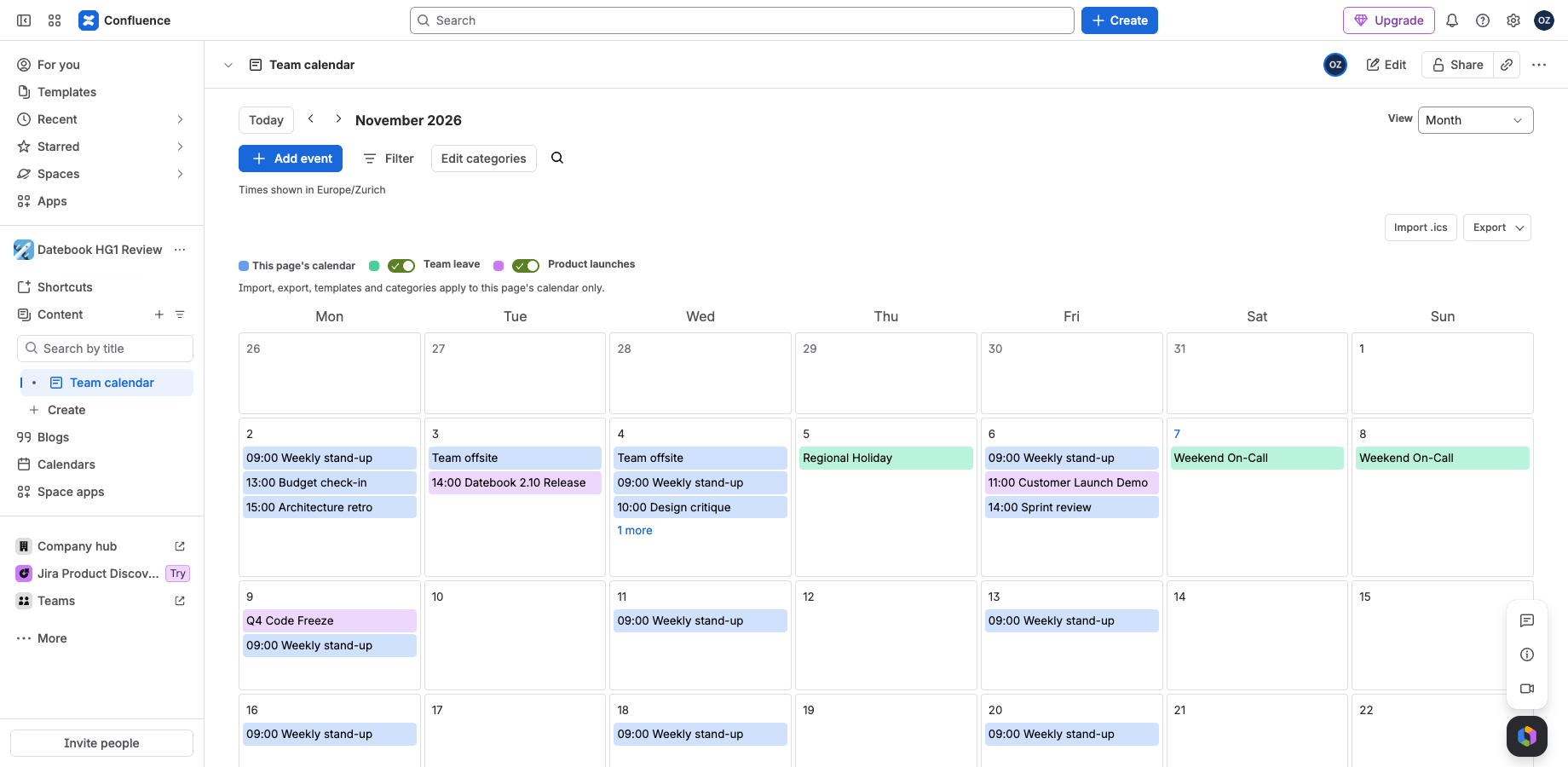
Confluence page showing the Datebook calendar in Month view with events from three calendars in three colours and a row of calendar switches.
A page calendar combined with two shared space calendars, with a switch and a colour for each calendar above the Month grid.

3. Repeating Events, Answers and Calendar Files

Repeat daily, weekly, on the first Monday or the last Friday, or yearly. People answer Going, Maybe or Declined, and Add to my calendar puts the event with a reminder into their own calendar.
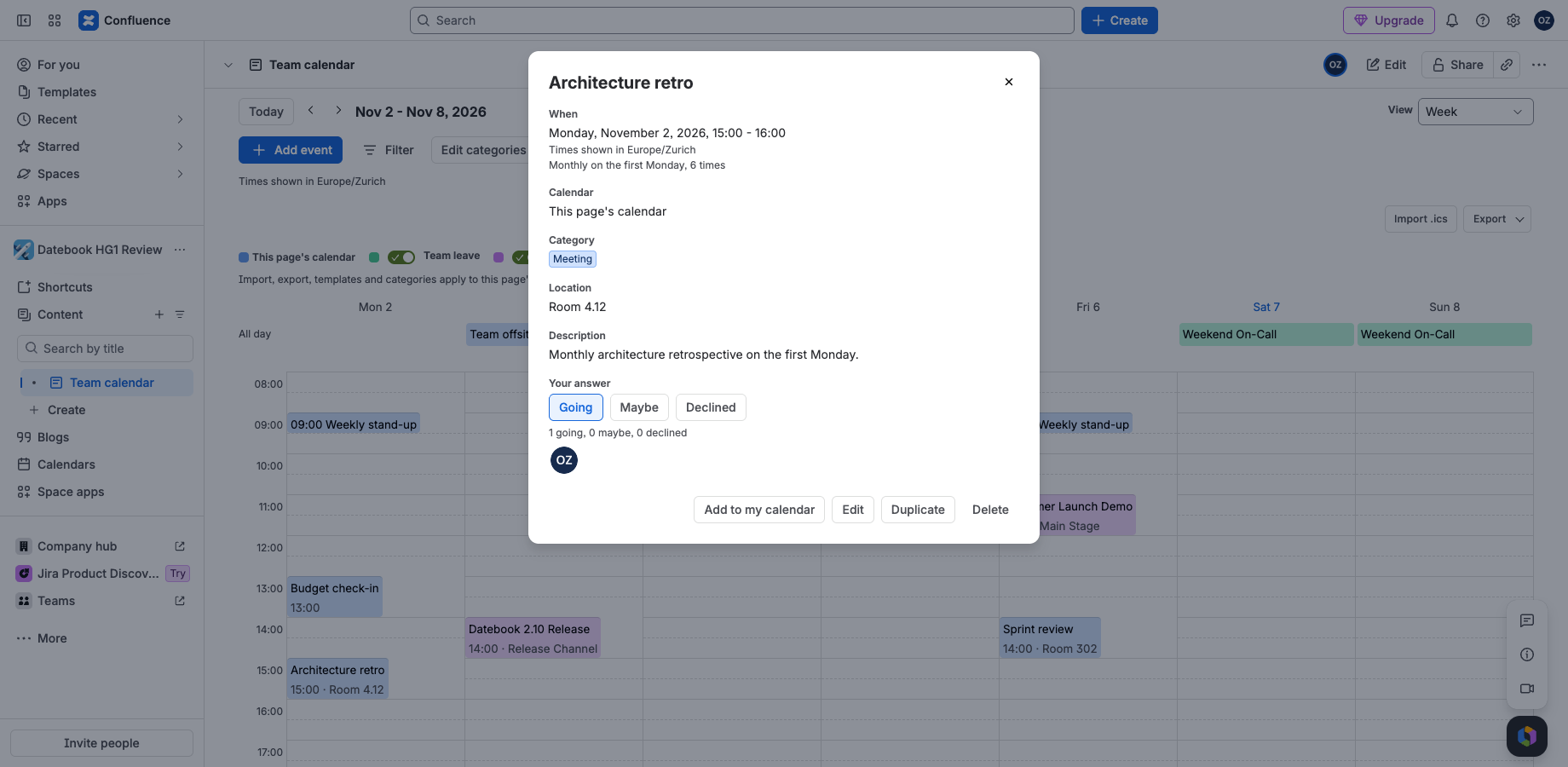
Datebook event details dialog in Confluence showing a monthly repeating event, attendance buttons and the Add to my calendar, Edit, Duplicate and Delete actions.
Event details for a repeating event with the schedule, Going, Maybe and Declined, and Add to my calendar.

Datebook is built by OZET and is not affiliated with or endorsed by Atlassian.

OZET

Zambounis Technology
Av. Eugène-Rambert 30
1005 Lausanne, Switzerland

[email protected]

Products & Services

  • Shop Automation
  • IzyMaps for Shopify
  • IzyIcons for Shopify
  • TidyAddress for HubSpot
  • Invoice Late Fees for Stripe
  • Affiliate Code Commissions for Wix
  • Direct Room and Rental Booking for Wix
  • Datebook Event Calendar for Confluence
  • Book a Consultation ↗

Company & Legal

  • Founder Profile (orestis.ch) ↗
  • Impressum
  • Privacy Policy
  • Terms of Service
© 2026 OZET · Zambounis Technology, Lausanne, Switzerland.