
Datebook Event Calendar for Confluence
Plan releases, offsites and leave on any Confluence page, and add events right on the published page. Datebook is an event calendar for Confluence Cloud pages and spaces: Month, Week, Day, Agenda and Quarter views, repeating events, attendance answers, search, .ics import and export, and up to 3 calendars in one view.
What the app does
Keep your team's dates where the work is planned: one shared calendar on any Confluence page or space, with no data leaving Atlassian.
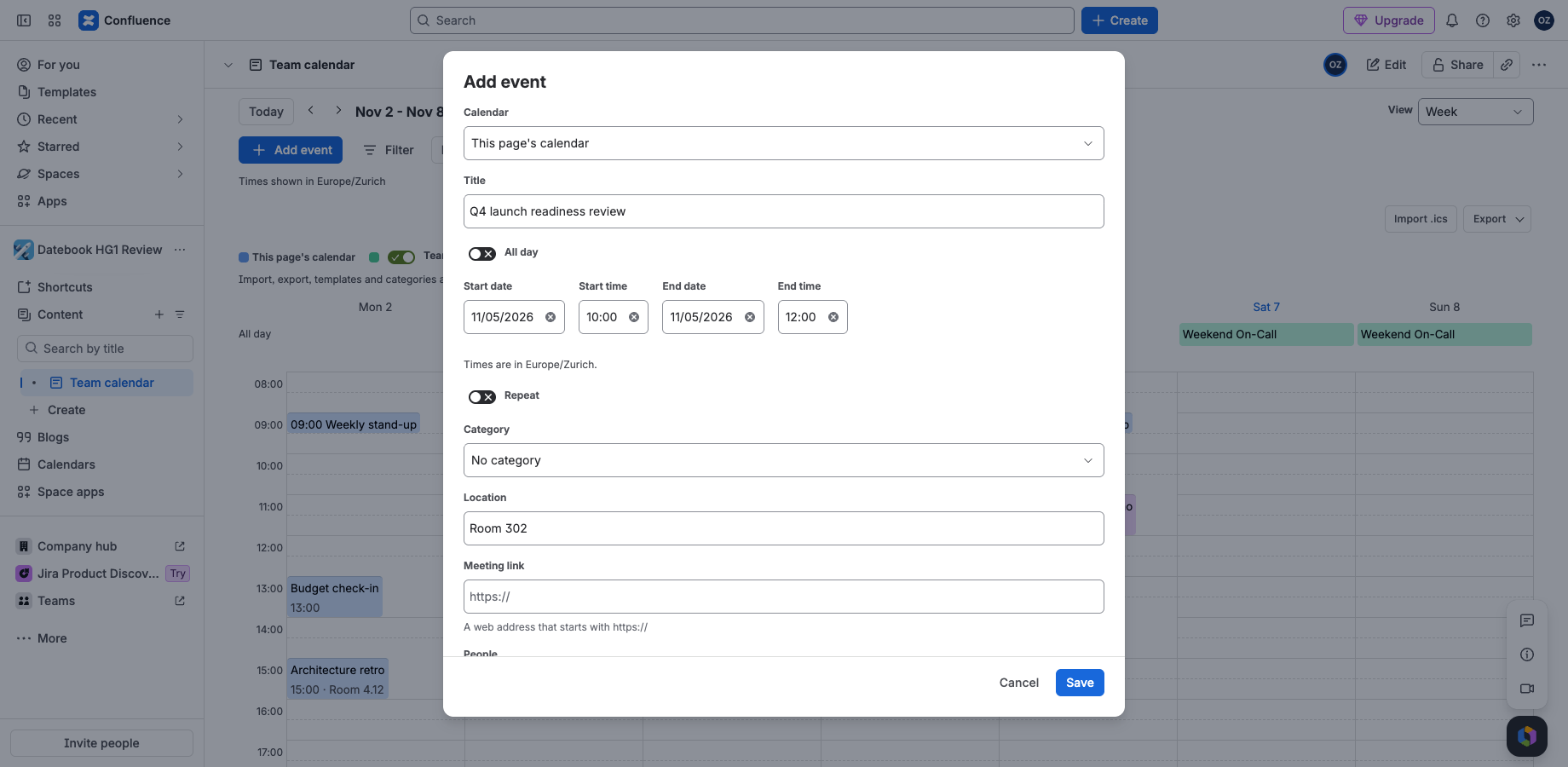
Add Events Right on the Published Page
Click a day in Month view, or a start and an end time in Week or Day view, and the event is on the page without editing it. Switch between Month, Week, Day, Agenda and Quarter at any time.
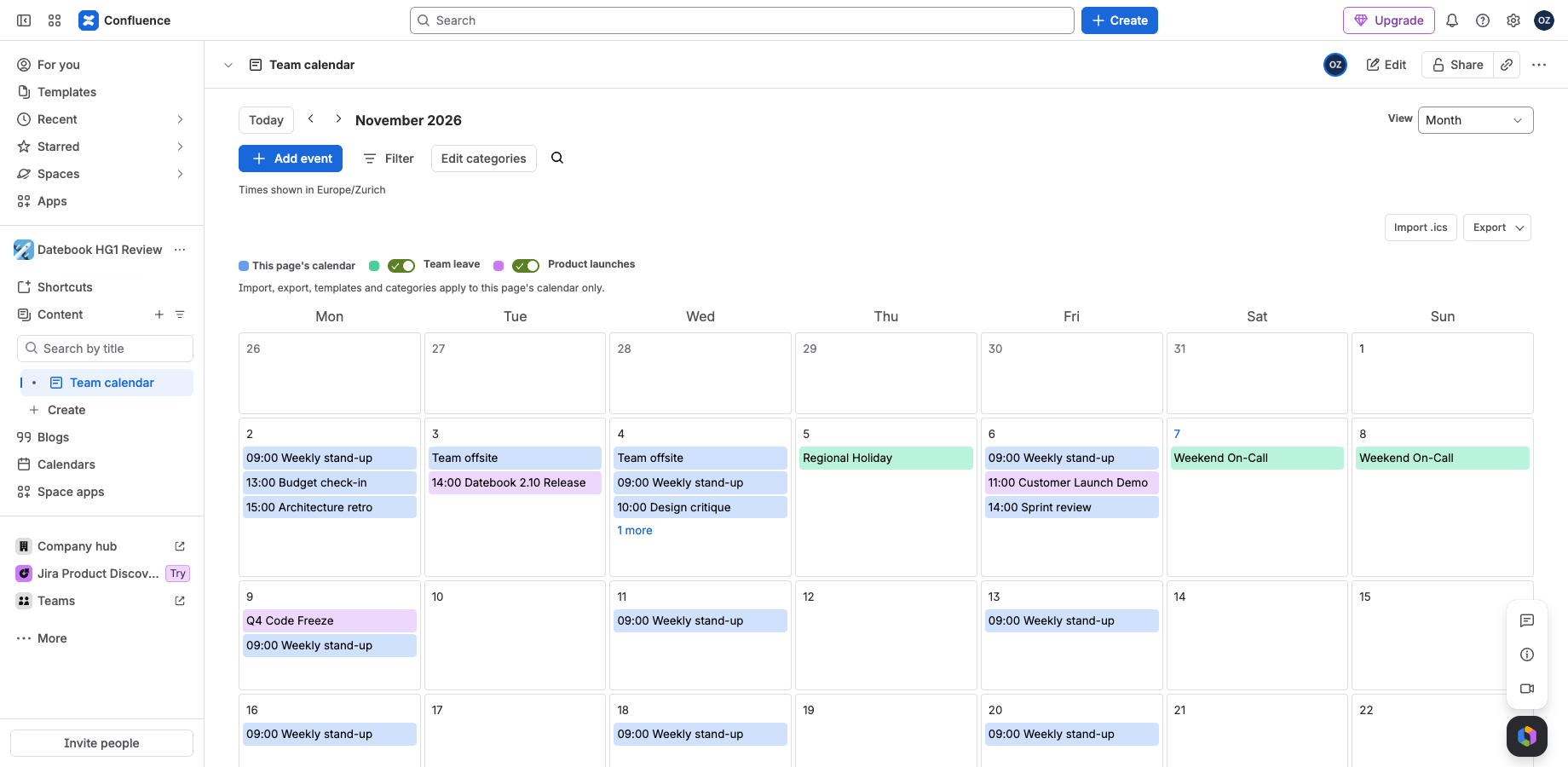
See Up to 3 Calendars Together
Show a page calendar with up to 2 shared space calendars, each in its own colour. Every viewer turns calendars on or off for themselves, and calendars they cannot open are never shown.
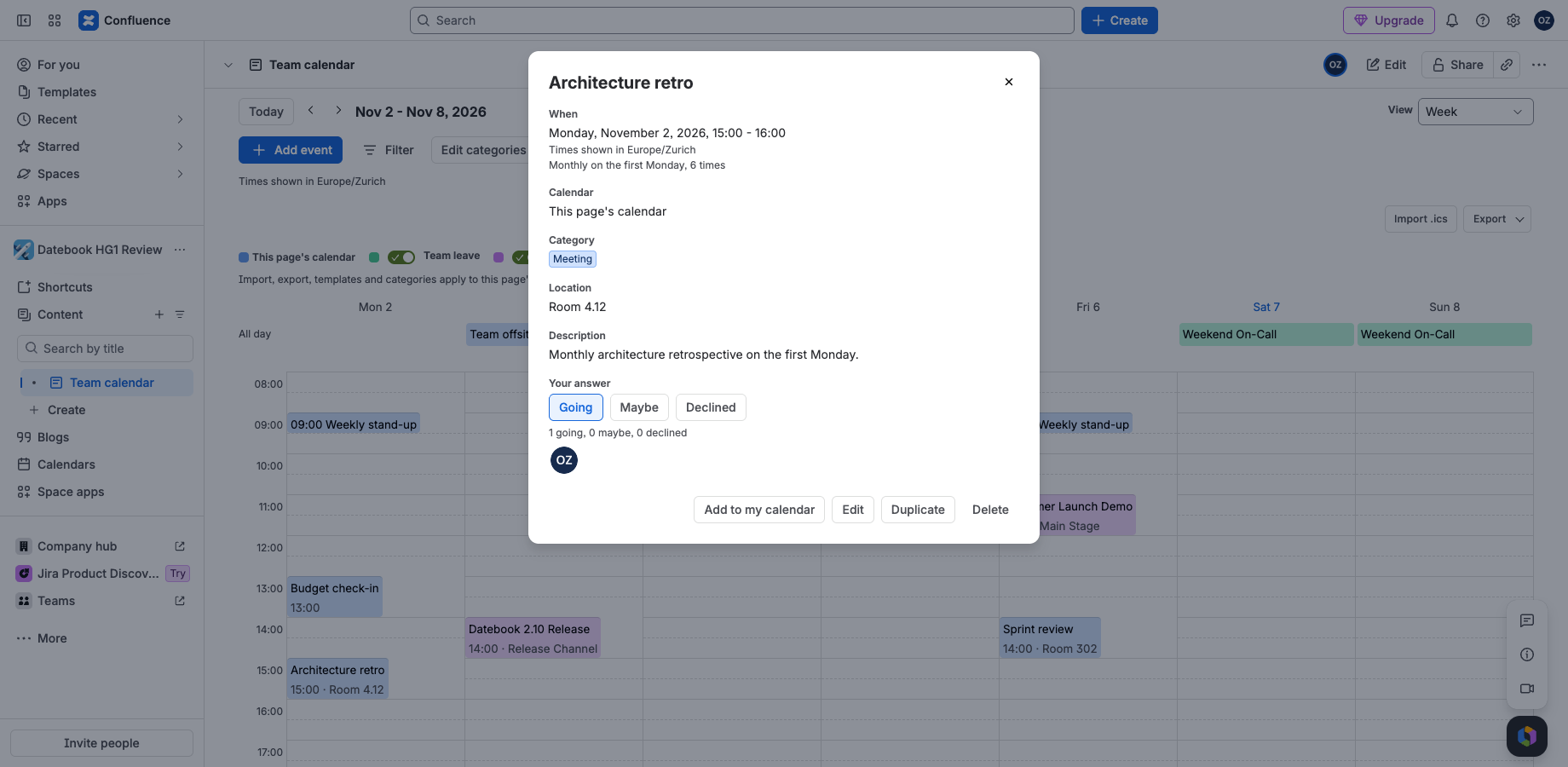
Repeating Events, Answers and Calendar Files
Repeat daily, weekly, on the first Monday or the last Friday, or yearly. People answer Going, Maybe or Declined, and Add to my calendar puts the event with a reminder into their own calendar.
Add and find events
Add events on the published page with a click, so plans stay current without editing the page. Month, Week, Day, Agenda and Quarter views with search, filters and Show weekends, so everyone finds their dates.
Shared calendars and repeats
Show up to 2 shared space calendars next to a page calendar, each in its own colour. Calendars a person cannot open stay hidden. Repeat daily, weekly, monthly on a date or the first Monday or last Friday, or yearly. Change one date or the whole series.
Answers, files and your data
Going, Maybe or Declined, and Add to my calendar with a reminder. Import .ics and export .ics or .csv at any time, so your data is never locked in. Data stays in Atlassian's cloud, and only Atlassian account IDs are stored about people.
Pricing
Free for small teams. Larger sites pay per user, and the rate per user falls as the site grows.
Free for up to 10 users
- Every feature, the same app larger sites get
- Free for as long as your site has 10 users or fewer
This is an estimate. Atlassian's checkout shows the exact price for your site.
The rate per user falls as your site grows
For sites with more than 10 users. Each rate applies to the users inside its band.
- $0.60 /user/mo for users 1 to 100
- $0.45 /user/mo for users 101 to 250
- $0.25 /user/mo for users 251 to 1,000
- $0.12 /user/mo for users 1,001 to 5,000
- $0.08 /user/mo for users 5,001 and more
Every feature on every plan. Billed through the Atlassian Marketplace at your site's user tier, with a 30-day free trial. Prices in US dollars.
See it in action
A 30-second tour of Datebook on a Confluence page. The demo page walks through the three main steps, and the help guide has every step.
Frequently Asked Questions
Where your data lives, who can change events, and what it costs.
Where is my data, and does anything leave Atlassian?
Calendars, events, answers and settings are stored in Atlassian-hosted storage for your Confluence site, in your site's data residency location. Nothing is sent outside Atlassian. The only information Datebook stores about people is their Atlassian account ID.
Who can add or change events, and who can only view?
On a page calendar, people who can edit the page add, change and delete events. People who can only view the page see the calendar read-only. On space calendars, people who can add pages to the space create calendars and change their events, and space admins can also rename and delete them. Datebook checks Confluence page and space permissions first, so a calendar follows the restrictions you already have.
How do reminders work?
Add to my calendar in the event details downloads an .ics file you can open in Google Calendar, Outlook or Apple Calendar. Page authors can set Reminder in downloaded events in Calendar options, and people who add the event to their own calendar get that reminder there. For a repeating event the file holds the whole series.
Can I import and export events?
Yes. Import an .ics file of up to 2 MB with a preview first, up to 2,000 events from one file. Importing the same file again updates the events instead of adding them twice. Export .ics or .csv at any time, so your data is never locked in.
Can I see several calendars in one view?
Yes, up to 3: a page calendar together with up to 2 shared space calendars from any space you can view, each in its own colour. Every person turns calendars on or off for themselves, and a calendar a person cannot view is never shown to them.
What does it cost, and is there a trial?
Sites with up to 10 users use Datebook at no charge. Larger sites pay per user per month, in the user tier of the Confluence site. Atlassian bills through the Atlassian Marketplace, with a 30-day free trial, and refunds within 30 days of a purchase go through Atlassian's refund process.
How fast does support answer?
Write to [email protected]. We aim to answer every request within 24 hours on business days. At a minimum we respond within 24 hours to requests Atlassian identifies as critical and within 5 business days to all others.
What happens if the subscription ends or I uninstall?
If the subscription is not active, every calendar shows "This calendar is paused" and your events are kept until it is renewed. After you uninstall, Atlassian deletes the app's data 28 days later. Export a calendar first if you want to keep a copy.
Datebook Event Calendar for Confluence is published by Zambounis Technology (OZET), Lausanne, Switzerland. Support: [email protected] and the support page. Read the Terms (Bonterms Standard End User Agreement and Provider-Specific Terms), the Privacy Policy section for this app, the Data Processing Addendum and the third-party notices. Datebook is built by OZET and is not affiliated with or endorsed by Atlassian.
Looking for the Provider-Specific Terms? They are on the terms page.