
Formula & Mirror Rollup Sync
Formula and Mirror columns hold the numbers your team relies on, but automations cannot start from them, and existing items stay blank when you add an automation. This app copies Formula column, Mirror column and Subitem rollup values into real board columns that your automations can use, fills every existing item in one click, and only uses an operation when a value actually changes.
What the app does
Everything runs inside monday.com: a Board View, an Item View and action blocks for your automations.
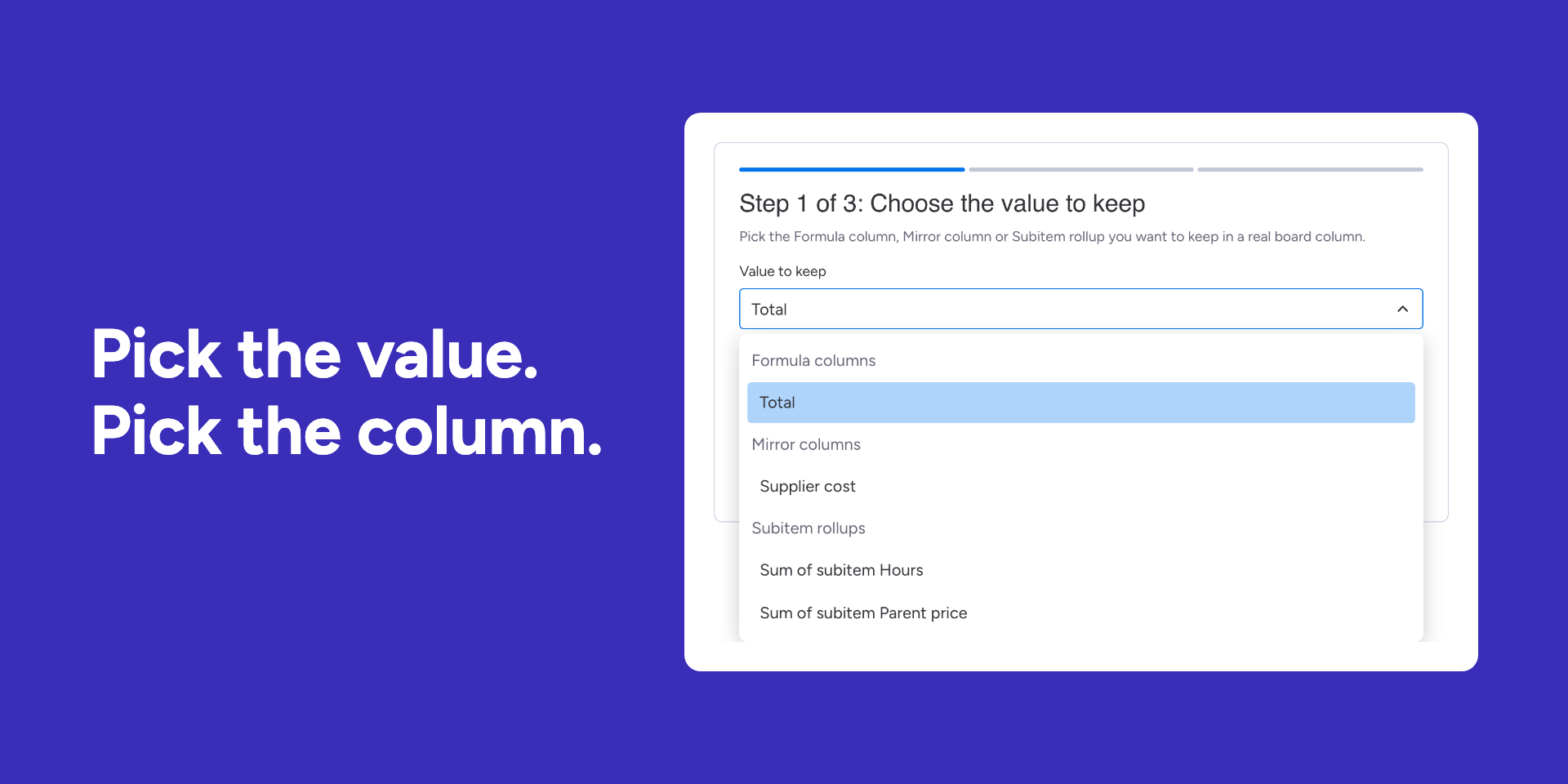
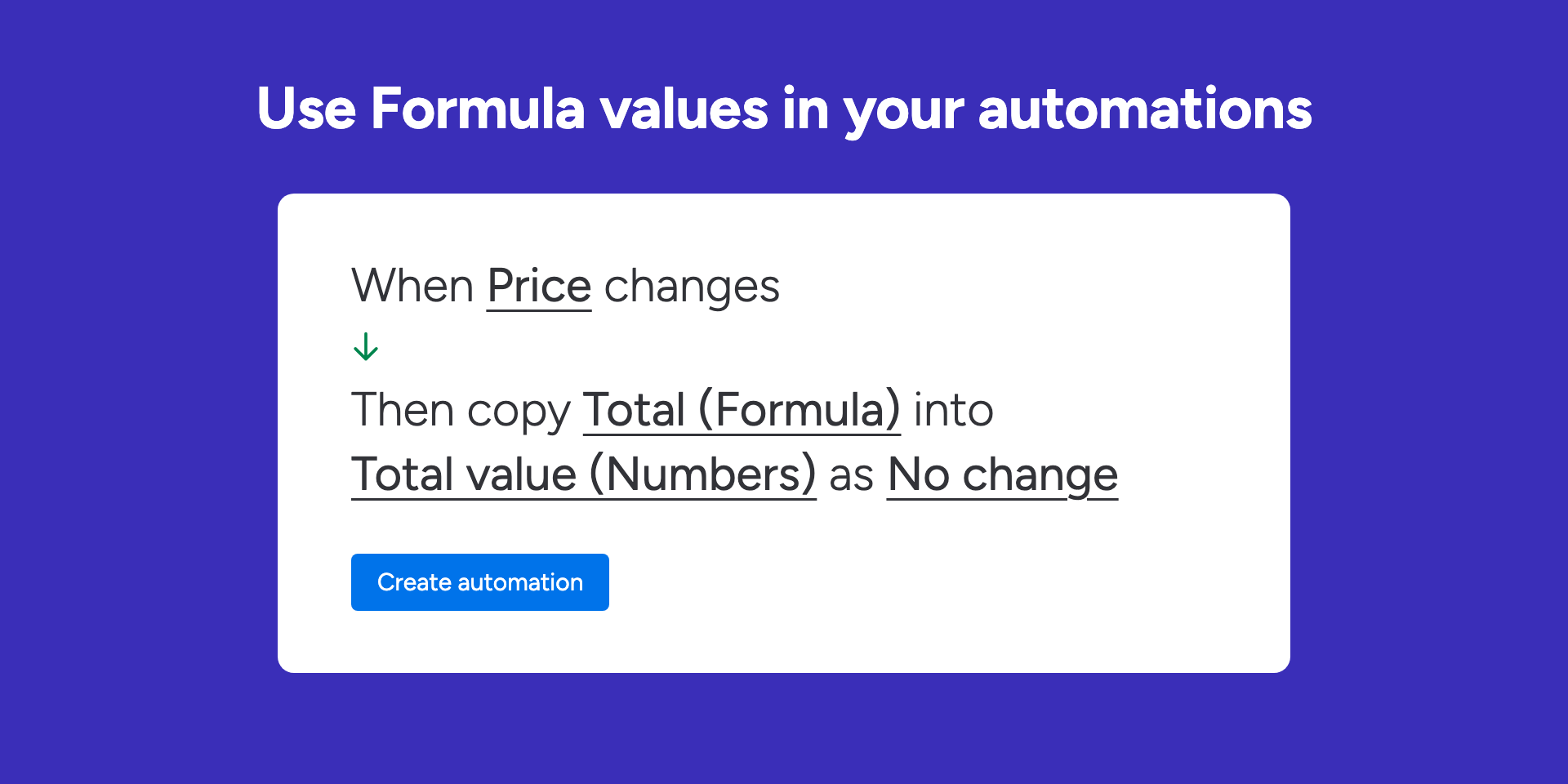
Copy a Formula or Mirror value
Into a Numbers, Text, Status, Date, People or Timeline column, with optional rounding, currency, percent or date formatting. Formula columns that use Mirror columns are calculated by the app, because monday.com does not calculate them for apps.
Fill every existing item
A 3-step setup picks the value and the column, checks every item for free, then fills the whole board in one click with live progress. Pause any time and resume later.
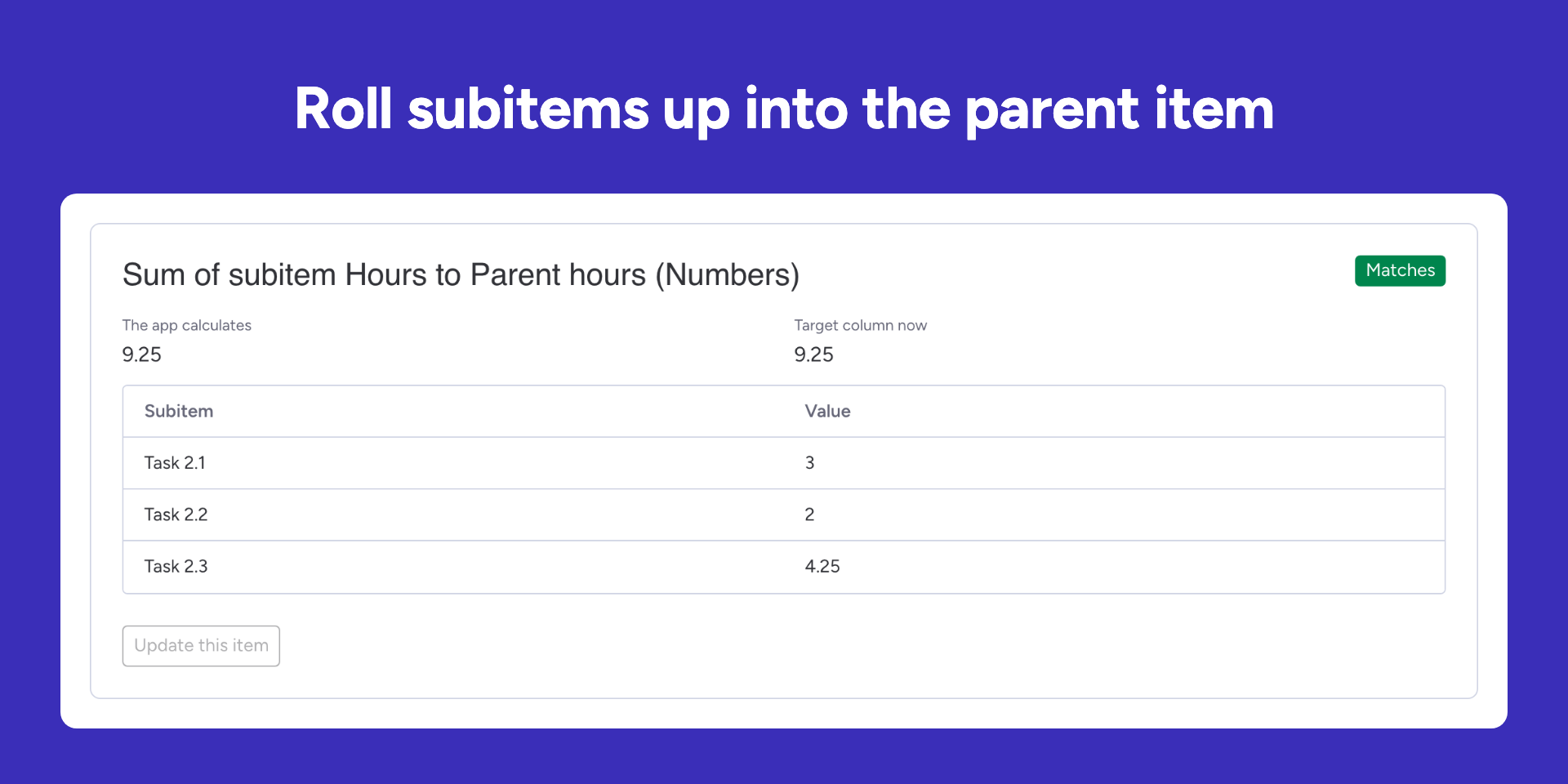
Roll subitems up to the parent
Sum, Average, Lowest, Highest, Count, Join text or All done of a subitem column into the parent item, or copy a parent value into every subitem. Set a status and notify a teammate when a Formula value crosses a number.
Plans
Every plan has every feature. Plans differ only in monthly operations and AI requests. Billed by monday.com; yearly is about 20 percent off.
Free
Free forever- 50 operations per month
- 10 AI requests per month
- Every feature, unlimited users
Lite
One active board- 1,500 operations per month
- 100 AI requests per month
- Every feature, unlimited users
Basic
Most popular- 5,000 operations per month
- 300 AI requests per month
- Every feature, unlimited users
Pro
Several boards and heavy subitem rollups- 20,000 operations per month
- 1,000 AI requests per month
- Every feature, unlimited users
Business
Departments and high-volume accounts- 75,000 operations per month
- 2,000 AI requests per month
- Every feature, unlimited users
Enterprise
High-volume accounts- 250,000 operations per month
- 5,000 AI requests per month
- Every feature, unlimited users
An operation is one item whose target column actually changed. Values that did not change, the free check before a fill, the Formula Debugger and notifications use none. Allowances reset on the first day of each month. Plans are chosen in monday.com's own plan picker inside the app.
See it in action
Three minutes from install to the first filled column. The help guide has every step with screenshots.
Frequently Asked Questions
What the app changes, what it costs in operations, and what the AI helper sees.
Do I need an AI account or an API key?
No. The AI formula helper is included in every plan with a monthly number of AI requests, shown next to its buttons. There is nothing to create or paste.
What counts as an operation?
One item whose target column actually changed. Values that did not change, the free check before a fill, the Formula Debugger and notifications use none. Allowances reset on the first day of each month.
What happens when the monthly allowance is used up?
Live updates and fills pause until the next month or a plan change, and the view says so. Waiting items are filled when you resume. Nothing is lost.
Does the app change my board on its own?
No. It writes only through the rules and automations you set up, and the AI helper never writes anything: it explains a formula or suggests one for you to copy or add.
Does it work with Mirror columns and subitems?
Yes. Copy a Mirror value from a connected board, roll subitems up into the parent item (sum, average, lowest, highest, count, joined text or all done), or copy a parent value into every subitem. Formula columns that use Mirror columns are calculated by the app, because monday.com does not calculate them for apps.
What does the AI helper send to Google?
Only on a click: the formula, the titles and types of the columns it uses and the values the app already shows for that item, or the sentence you typed and the board's column titles and types. Never item names, people, emails or phone numbers. Nothing is stored, and admins can turn AI help off in Settings.
Can viewers and guests use it?
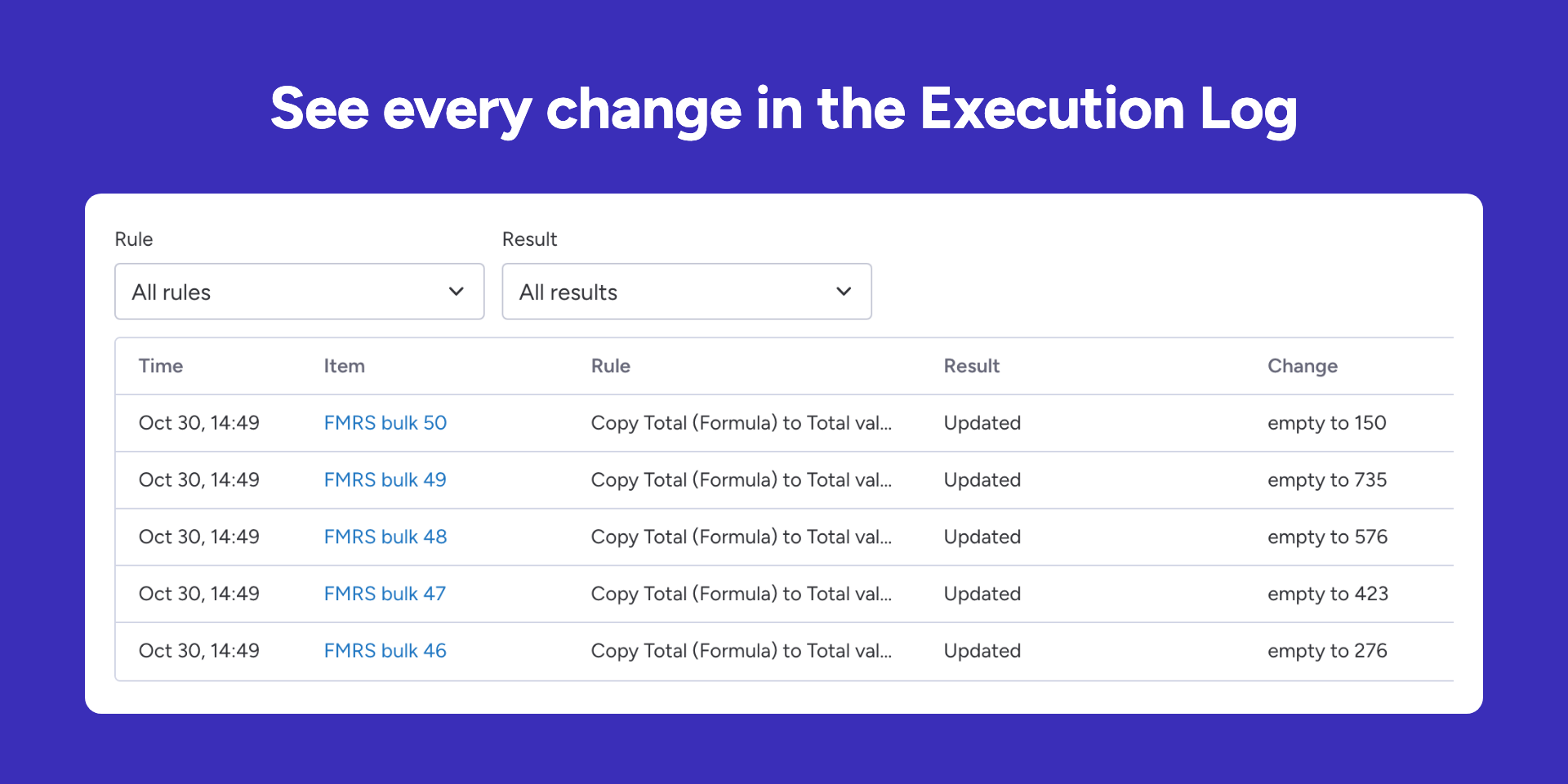
They can open the views, read the rules and the Execution Log and explain values. Adding rules, filling items and changing settings need an editor or admin.
What happens when I uninstall?
The app stops working for your account at once and deletes its rules, history and settings within 24 hours. Nothing is kept longer than 10 days.
Formula & Mirror Rollup Sync is published by OZET (Zambounis Technology, Lausanne, Switzerland). We contact account admins only for service, security and billing notices, never for marketing without opt-in. Read the Terms of Service and the Privacy Policy section for this app.